Description
Talkdesk is a browser-based call center software and with the integration with Pipedrive, it can help users by displaying customer’s Pipedrive contact history and information when a call is connected in Talkdesk. This allows users to work with the information to personalize interactions and provide optimal service. The integration also allows users to update and create notes, contacts and activities in Pipedrive from Talkdesk so your entire team is always on the same page.
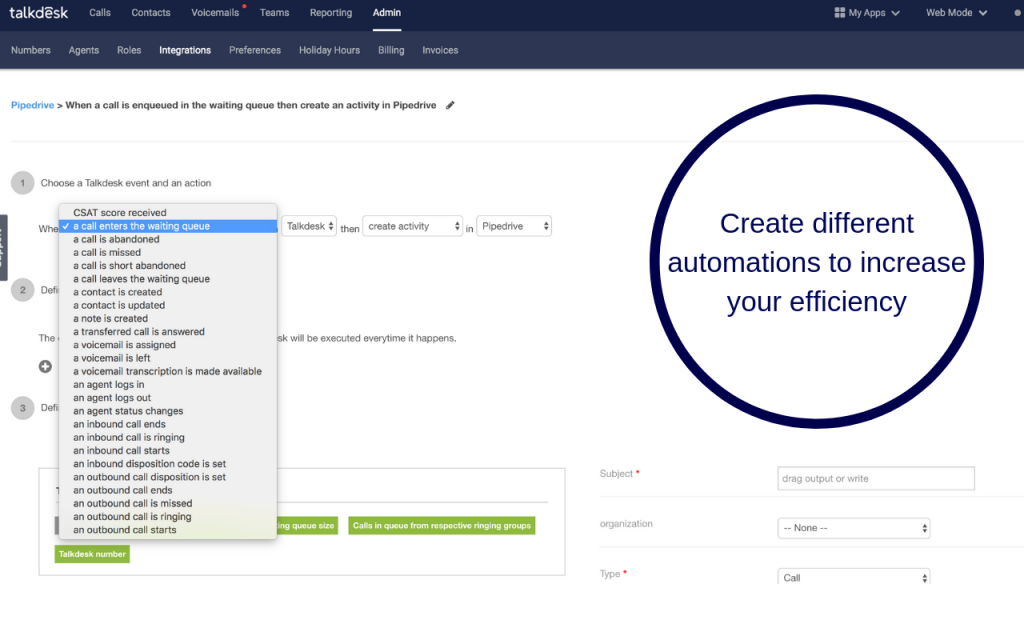
Talkdesk has the ability to automatically synchronize contacts, activities, and notes between Pipedrive and Talkdesk in real-time. This can be customized according to your businesses’ needs. Furthermore, Talkdesk’s automated workflows eliminate the need to manually enter data in two different systems. You can simply configure certain Talkdesk events to automatically trigger Pipedrive actions.
Setup and installation
All you need to do to configure Pipedrive and Talkdesk is add your Pipedrive account information and you can synchronize data instantly. 1. Log into Talkdesk as an admin user. 2. Select Admin > Integrations > Pipedrive 3. Configure the connections And from there on you can start creating automations
Looking for help but don’t know where to start? Choose Axis Consulting. We help companies streamline their process with automation by unlocking the power of technology. Fill out the form below and we will be in touch shortly.
At Axis Consulting, we help companies streamline their process with automation by unlocking the power of technology. From Salesforce Implementation to Custom App Development and beyond, we deliver powerful results that strengthen your business.