












Rated 5.0 by 50+ B2B clients
-
Salesforce Consulting & Implementation Services
Most Salesforce Orgs Store Data. Great Ones Run the Business.
Trusted By 50+ Growth Teams


Your Salesforce Implementation Partner Since 2017
Most Salesforce orgs store data. Great ones run the business.
These common challenges are costing you revenue every day. A properly architected Salesforce environment automates repetitive work, gives your team real-time visibility across Sales Cloud and Service Cloud, and keeps sales, support, and marketing aligned around revenue growth. We’ve been delivering Salesforce consulting and implementation since 2017, nine years of turning CRM licenses into revenue engines.
Salesforce Sales Cloud, Service Cloud & Marketing Cloud Services
Connect Salesforce with the rest of your stack we configure and test every integration.
Most Salesforce orgs have manual bottlenecks that automation could eliminate, but teams either don’t know where to start or they over-automate and create rigid processes that fail in real-world situations.
Effective CRM automation goes beyond basic workflows. It combines Salesforce Flow, Einstein AI, predictive scoring, and behavioral signals to make the CRM smarter about prioritization, routing, and follow-up. Lead scores update based on real engagement, high-value opportunities are assigned to the right sales reps, and Outlook and Gmail activity syncs automatically to reduce manual data entry. Contract milestones can trigger alerts, approvals, and next-step workflows.
Einstein forecasting also helps identify deal risk earlier, improving forecast accuracy and sales planning. The result is less administrative work, faster sales cycles, and a CRM your team can manage confidently using Salesforce’s native tools instead of relying on complex third-party automation.
Salesforce works best when it connects seamlessly with the tools your business already uses, including Calendly, DocuSign, PandaDoc, Aircall, Talkdesk, Stripe, and QuickBooks. Many integrations fail over time because of duplicate records, broken syncs, API limits, or poor field mapping.
We build reliable integrations that keep data accurate and workflows connected. Calendly meetings sync to the correct contacts and accounts without duplicates. DocuSign updates opportunities with signature dates, contract values, and approval status. PandaDoc proposal activity syncs with pipeline stages, while Aircall and Talkdesk automatically log calls, conversations, and support cases in Salesforce.
Using native integrations where possible and custom middleware when needed, we create secure, scalable connections that continue working through API changes. Your team gets one reliable source of truth with less manual work and fewer integration issues.
Sales and marketing often work from different definitions of a qualified lead, creating delays, duplicate work, and missed opportunities. We align both teams around a unified revenue process inside Salesforce.
Using Salesforce Account Engagement (Pardot) or Marketo, leads enter Salesforce with valuable context, including engagement history, website activity, content interactions, and intent signals.
Reps can quickly identify whether a lead needs outreach, nurturing, or immediate follow-up. Lead routing follows territory, ownership, and account rules, while clear qualification criteria ensure everyone understands when a lead is truly sales ready. Closed-loop reporting shows which campaigns generate real revenue, not just lead volume.
The result is faster sales cycles, stronger lead-to-customer conversion, better collaboration between sales and marketing, and a single process focused on shared revenue goals.
Revenue Operations connects every stage of the customer journey, from lead generation and opportunity management to contracts, billing, and renewals. Without a structured process, teams rely on manual handoffs, disconnected systems, and inconsistent data.
We design end-to-end RevOps workflows in Salesforce that automate routine tasks while keeping the right approvals in place.
When a deal is marked Closed Won, Salesforce can update account records, create orders or projects, notify onboarding teams, and sync billing data with QuickBooks, NetSuite, or Stripe. Contract milestones, renewal dates, and approval workflows are tracked automatically, with reminders to help teams stay ahead of renewals.
Every process is documented, making it easy for administrators to manage and improve over time.
The result is faster order-to-cash cycles, fewer billing errors, stronger operational visibility, and a scalable revenue process that supports long-term growth.
A well-configured Salesforce org only delivers value when people know how to use it consistently. Without clear documentation and training, new hires learn through trial and error, processes vary between teams, and important CRM knowledge disappears when key administrators leave.
We create practical documentation that supports both users and administrators. Sales playbooks explain common workflows, required fields, automation, and best practices for different scenarios. Admin documentation covers custom fields, validation rules, automation, dependencies, and the purpose behind each configuration.
We also provide data model diagrams, process maps, and role-based training that matches how teams actually work. Short video walkthroughs and ongoing guidance help users understand new features when they need them most.
The result is faster onboarding, higher Salesforce adoption, more consistent data, and a CRM that remains easy to manage and improve as your business grows.
Salesforce should help leadership measure business performance, not just CRM activity. Executives need dashboards that answer critical questions about revenue growth, forecast accuracy, sales efficiency, and return on investment.
We build executive dashboards that connect Salesforce data to real business outcomes. Leaders can monitor pipeline health, forecast accuracy, win rates, sales cycle length, revenue trends, and deal performance across teams, products, and territories.
We also track revenue leakage, stalled opportunities, automation savings, and productivity improvements to highlight where the business can improve. Reports are designed for executives, finance teams, and sales leaders, providing clear insights instead of overwhelming metrics.
The result is more accurate forecasting, better budgeting, stronger visibility into sales performance, and data-driven decisions that help leadership maximize the value of their Salesforce investment.
How to Migrate to Salesforce in 2–4 Weeks Without Data Loss
Your data migration doesn’t have to be a nightmare. Most teams take 8–12 weeks because they fix problems in production. We fix them first.
Most teams migrate data into Salesforce without cleaning it first. Duplicate records and formatting errors appear after go-live, creating extra work and reducing trust in the CRM. We take a different approach.
We audit your source data upfront whether it’s HubSpot, Oracle, Pipedrive, or legacy spreadsheets deduplicate and validate everything in Week 1-2, sandbox-test in Week 3, then go live in Week 4. Every record gets cleaned. Every field maps correctly. Every relationship stays intact before touching your org. By launch day, you’re not scrambling, you’re confident.
Salesforce CRM Consulting by Industry
Certified Salesforce Consultants & Implementation Partner
Axis Consulting’s Salesforce practice is led by CEO Boris Tsibelman a registered Salesforce Partner and Trailblazer holding 8 Salesforce certifications across Sales Cloud, Service Cloud, Experience Cloud, and Salesforce Platform architecture, including Administrator, Platform App Builder, and Platform Data Architect credentials. With 403,000+ Trailhead points and 1,400+ badges earned, Boris has gone deeper into the Salesforce ecosystem than a typical implementation partner.
Why Work with a Certified Salesforce Partner
| Factor | DIY Setup | Certified Partner Implementation |
|---|---|---|
| Time to full implementation | 3–6 months | 2–4 weeks |
| Sales + Service Cloud adoption | 40–60% | 90%+ |
| Case/lead routing automation | Manual, inconsistent | Rule-based, validated |
| Data migration accuracy | Error-prone, duplicated | Deduplicated, QA'd |
| Third-party integrations | Native connectors only | Custom API + middleware |
| Training & documentation | 6+ months, informal | 30–60 days, structured |
OurSalesforce Implementation Process
Discover
We audit your current sales and service process, existing CRM data, tech stack, and team workflows before touching a single setting.
Design
We map Sales Cloud and Service Cloud architecture, automation logic, and reporting needs. You approve the plan before we build anything.
Build
We configure Salesforce, build Flow automations, connect integrations, and migrate your data from your existing CRM.
Train
Role-based training for reps, managers, and admins, plus written playbooks and a recorded library your team keeps.
Optimize
At 30, 60, and 90 days post-launch, we review baseline metrics - case resolution time, pipeline conversion, forecast accuracy - and adjust configuration to keep improving.
Why Salesforce Projects Fail
The most common implementation mistakes we see and how experienced planning helps avoid them.
Underestimating the Change
Salesforce is not a software installation, it’s a business process change. 60% of implementations fail because teams expect reps to adopt it without understanding why the new process works better. We build adoption frameworks and playbooks that connect configuration to actual revenue impact, not just feature lists.
Skipping the Discovery Phase
Jumping straight to “let’s use Salesforce’s best practices” without auditing your actual workflow is the #1 mistake. Every company’s pipeline, case-handling, and reporting needs are different. Generic setups get abandoned. We spend weeks in Discovery mapping your real process – and then we architect Salesforce around it.
Poor Data Migration
Garbage in, garbage out. Most DIY implementations copy old data as-is into Salesforce, duplicating records, losing history, and poisoning the database from day one. We deduplicate, validate field mappings, and QA every migrated record before go-live.
No Post-Launch Support
The day you go live, questions explode. “How do I X?” “Why is Y not working?” Teams get frustrated and stop using it. We include 30/60/90-day check-ins with configuration adjustments, and ongoing retainer support keeps your org healthy as your business changes.
Integration Shortcuts
Salesforce sits in the middle of your tech stack. If you don’t connect it properly to your billing system, marketing automation, phone system, or e-signature tools, data stays siloed and reps enter the same information three times. We configure full integrations with API middleware when needed not just “native connectors.”
What Our Clients Say
We’re proud to support companies that trust us to transform their operations through technology
Jay Offerdahl
AXIS Consulting was exactly what our organization needed. Their expertise with Asana, Jotform, and Zapier helped us eliminate repetitive tasks and improve collaboration across departments. The entire process was professional, efficient, and tailored to our goals. We continue to benefit from the systems they built for us.
- Service: Asana, Jotform, Zapier
Eric Rozenberg
Finding a partner who truly understands business automation is not easy, but AXIS Consulting exceeded our expectations. They integrated HubSpot, Calendly, and Aircall to create a seamless experience for our team and our clients.
- Service: Aircall, Calendly, HubSpot
Kevin Duffy Jr.
AXIS Consulting helped us streamline our sales and operations by connecting Pipedrive, PandaDoc, and Zapier into one efficient workflow. The manual work our team was doing every day is now automated.
- Service: PandaDoc, Pipedrive, Zapier
Salesforce Implementation for Sales Teams, Service Teams & Growing Companies
| Profile | Description | Why We Work Well Together |
|---|---|---|
| Sales Teams (5-200 reps) | Using manual spreadsheets, Salesforce.com free edition, or competitor CRMs that no longer scale | We turn chaos into a structured pipeline your team gets visibility, forecasting, and automation day one |
| Service Teams | Managing cases across multiple channels (email, phone, chat) without visibility or SLA tracking | We unify omnichannel service into one dashboard with automated routing and escalation |
| Companies Ready to Invest Time | Your team participates in Discovery, training, and adoption frameworks | We build the system with you, not for you - you own it and understand every piece |
| Teams Open to Process Change | Willing to optimize your workflow for Salesforce, not force Salesforce around your workflow | Best-practice processes + your domain expertise = sustainable adoption and ROI |
Frequently Asked Questions
About Salesforce Consulting
What does your Salesforce team actually do?
Our Salesforce practice is led by an 8x certified Salesforce Trailblazer (Sales Cloud, Service Cloud, Experience Cloud, and Platform architecture) who audits your current process, configures Sales Cloud and Service Cloud around how your team works, builds automations, migrates your data, and trains your staff.
How much does a Salesforce implementation cost?
Cost depends on scope – a Sales Cloud-only setup for a small team costs far less than a multi-cloud build with custom integrations. We size the project on a free scoping call rather than quote a number that doesn’t match your actual needs.
What is Salesforce consulting?
It’s the practice of implementing, customizing, and optimizing the Salesforce platform – Sales Cloud, Service Cloud, Marketing Cloud, and Experience Cloud – so it fits a specific business’s sales and service process instead of running unconfigured out of the box.
How long does a Salesforce implementation take?
A focused Sales Cloud or Service Cloud implementation typically takes 2–4 weeks. Multi-cloud or heavily customized builds take longer – we scope an exact timeline upfront.
Can you migrate our data from another CRM?
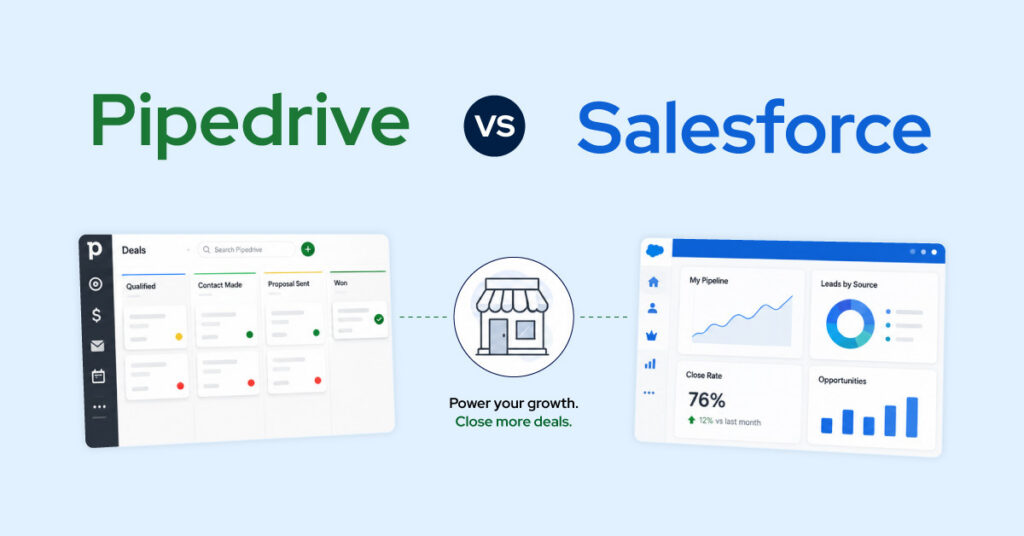
Yes. We handle migrations from Pipedrive, HubSpot, Zoho, and spreadsheets into Salesforce, including deduplication and field mapping see our Pipedrive vs. Salesforce comparison if you’re still deciding which platform fits.
Is Salesforce the right CRM for my business?
Salesforce fits teams that need deep customization, multi-department visibility, and room to scale. If you’re evaluating alternatives, our Pipedrive vs. Salesforce breakdown walks through the real tradeoffs.
What's the difference between Sales Cloud, Service Cloud, Marketing Cloud, and Experience Cloud?
Sales Cloud manages pipeline and forecasting. Service Cloud handles support cases and omnichannel service including merging and deduplicating cases so agents aren’t working the same ticket twice. Marketing Cloud/Pardot runs campaigns. Experience Cloud builds customer or partner portals.
Which Salesforce edition is right for us?
It depends on team size, budget, and which clouds you need. We break down every edition in detail here – we’ll also help you pick during the scoping call.
Can Salesforce be customized to our exact workflow?
Yes – custom objects, fields, page layouts, and validation rules let us build Salesforce around your process rather than forcing your team into a default template.
Can Salesforce integrate with our existing tools?
Yes. We’ve built Aircall, Talkdesk, DocuSign, PandaDoc, and Calendly integrations, among dozens of others in the AppExchange ecosystem.
Do you support Salesforce CPQ or Quote-to-Cash?
Yes – for teams with complex pricing, bundles, or approval workflows, we configure CPQ on top of Sales Cloud so quotes generate directly from opportunity data.
Is Salesforce suitable for larger or multi-team organizations?
Yes. For organizations with 50+ users, we design multi-team pipeline architecture with role-based permissions, manager dashboards, and executive-level reporting.
Let's Transform Your Business Operations
Our clients don’t just see improvements; they experience transformation. From reducing manual work by 80% to doubling revenue velocity, the impact is tangible and lasting.
First 12 Months
Per Team / Month
Sales Velocity
Real-time Reporting