AI Summary




PandaDoc Templates help you create professional documents in minutes without any hassle. In today’s fast-paced business world, having the right tools is key. PandaDoc is a great tool that lets you quickly create polished, branded documents. One of its best features is its ready-to-use templates that you can easily customize to fit your company’s style.
These templates save time and ensure your documents always look sharp and consistent. Ready to learn more? Dive into this guide to discover how PandaDoc templates can boost your business. Start customizing today and take your documents to the next level!
Understanding the Importance of PandaDoc Templates
What Are PandaDoc Templates?
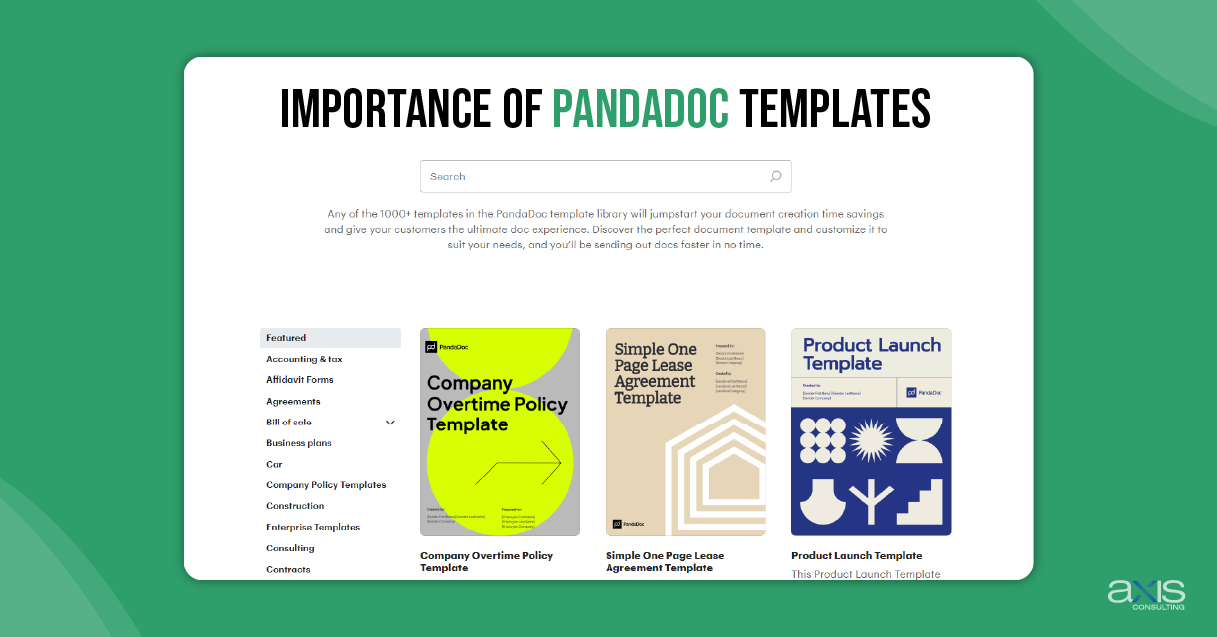
PandaDoc templates are ready-made formats for documents like proposals, contracts, and invoices. These templates have a structure you can easily adjust to fit your business needs. If you need a proposal, contract, or invoice template, PandaDoc has what you’re looking for.
Common Uses for PandaDoc Templates
Why Templates Are Important for Brand Consistency
Key Features of PandaDoc Templates
Exploring the PandaDoc Template Library
Customization Options
Step-by-Step Guide to Customizing PandaDoc Templates
Starting with a Template
Choose a template from the template library that fits your needs. After selecting the template, apply it to your document to create a starting point. Then, customize it by adding your logo, adjusting the brand colors, and picking the right fonts to match your brand.
Advanced Customization Techniques
Managing Your Templates
Best Practices for Template Customization

Aligning Templates with Brand Guidelines
Ensure your templates use the right brand colors, fonts, and logos, following your brand rules. Keep everything consistent so that all your documents, like a PandaDoc quote or consulting agreement, look the same.
Making Customization Easy
PandaDoc provides easy-to-use tools that let you quickly edit and customize your templates. You can also work with your team using PandaDoc’s features to make changes together in real-time, which helps speed up the process and makes customization easier.
How to Use Templates for Different Business Needs
PandaDoc templates offer flexibility, allowing you to use them for different business purposes. Here’s how you can customize them for specific needs:
Sales and Proposals
Customize a PandaDoc proposal template to create sales proposals that showcase your company’s strengths. You can also use a PandaDoc contract template to draft contracts that clearly outline the terms of your agreements, making sure everything is clear and professional.
Marketing and Presentations
Customize a PandaDoc marketing proposal template to create marketing materials that attract clients, and use templates to make professional presentations that communicate your message.
Internal Communication
Real-World Examples and Case Studies
Case Study 1: Boosting Sales with Customized Templates
One company used customized PandaDoc templates to improve its sales process. By creating a PandaDoc proposal template that fits their industry, they made it easier for their sales team to create consistent and professional proposals. This led to more sales and better client relationships.
Case Study 2: Strengthening Brand Image with Consistent Templates
Another company focused on using consistent templates across all its documents. It customized its templates to reflect its brand identity, from the PandaDoc consulting agreement template to its invoices. This consistency helped build a strong brand image and earned the trust of its clients.
Common Challenges and How to Overcome Them

Avoiding Over-Customization
Ensuring Team Adoption
Keeping Templates Up-to-Date
Review your templates to ensure they match any brand or business practice changes. It’s important to keep your team using the most up-to-date versions.
Conclusion
PandaDoc templates are helpful for businesses to make professional, branded documents quickly. By customizing these templates to match your brand, you can ensure all your documents, like proposals and contracts, look consistent and professional.
Customizing templates helps keep your brand looking the same, saves time, and makes creating documents easier. Whether you’re making a PandaDoc email template, a marketing proposal, or any other document, PandaDoc templates give you the tools and options you need.
We encourage you to check out the PandaDoc template library and start customizing your templates today. This will help you keep a consistent and professional brand image across all your business documents.