AI Summary




TL;DR
- Solo consultants get the most value from Salesflare, Copper, or HubSpot’s free plan.
- Boutique firms of 2 to 15 people are best served by Pipedrive once we build in a retainer renewal workflow.
- Management and strategy consulting firms doing deal sourcing, LP relations, or M&A work need 4Degrees or Salesforce.
- IT and technology consulting firms should prioritize Insightly or another CRM with native project management.
- Copper is the only CRM on this list that is genuinely built within Google Workspace rather than just integrated with it.
- Full pricing comparison tables and an FAQ are further down if you already know your firm size and just want the numbers.
Choosing the best CRM for consultants is not about picking the most popular platform.
It is about choosing a system that fits how consulting work is actually sold and managed: referrals, discovery calls, custom proposals, long follow-ups, retainers, renewals, and client relationships that need to stay warm long after the first contract is signed.
That is why many consulting firms struggle with generic CRMs. A tool built for high-volume sales teams may look powerful, but it often feels clunky when your sales cycle takes months, involves multiple stakeholders, and depends on timing the right follow-up without sounding automated.
For solo consultants, a lightweight CRM like Salesflare, Copper, or HubSpot’s free tools may be enough. For boutique firms managing multiple partners, retainers, and proposal pipelines, Pipedrive is often a stronger fit.
For relationship-heavy firms in advisory, partnerships, or M&A, platforms like 4Degrees or Salesforce may make more sense.
Why Consulting Firms Need a Different CRM
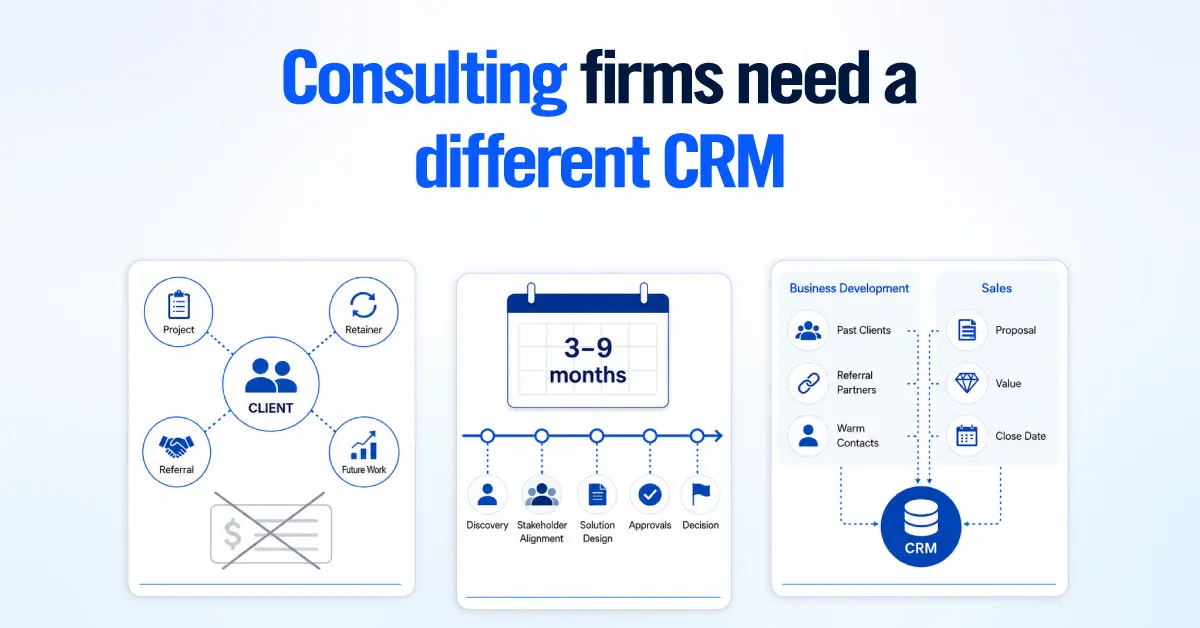
Consulting firms need a different CRM because the sales motion itself does not look like a typical B2B sale. Cycles run longer, more stakeholders sit in on a single deal, and revenue often continues well past the first signed contract.
We have rebuilt CRM setups for consulting and advisory firms of every size, and the pattern we see is that the tool is built for transactional selling and fights the consultant at every turn.

Consulting CRM needs to track the relationship, not just the deal. A closed project can turn into a retainer, referral, second engagement, or future advisory work. If the CRM only records the transaction, the client’s long-term value is lost.
Long Sales Cycles of 3 to 9 Months Are Normal for Consulting
Consulting deals often move slowly because buyers need budget approval, stakeholder alignment, or partner sign-off. A good CRM should let you customize pipeline stages, follow-up timing, and deal health around that reality instead of treating every quiet deal as dead.
The Key Difference Between Business Development and Sales
Sales is managing a known opportunity with a proposal, value, and close date. Business development is staying close to past clients, referral partners, and warm contacts before a deal exists. The best CRM for consultants should support both.
The 3 Setup Mistakes We Fix in Every New Consulting Client
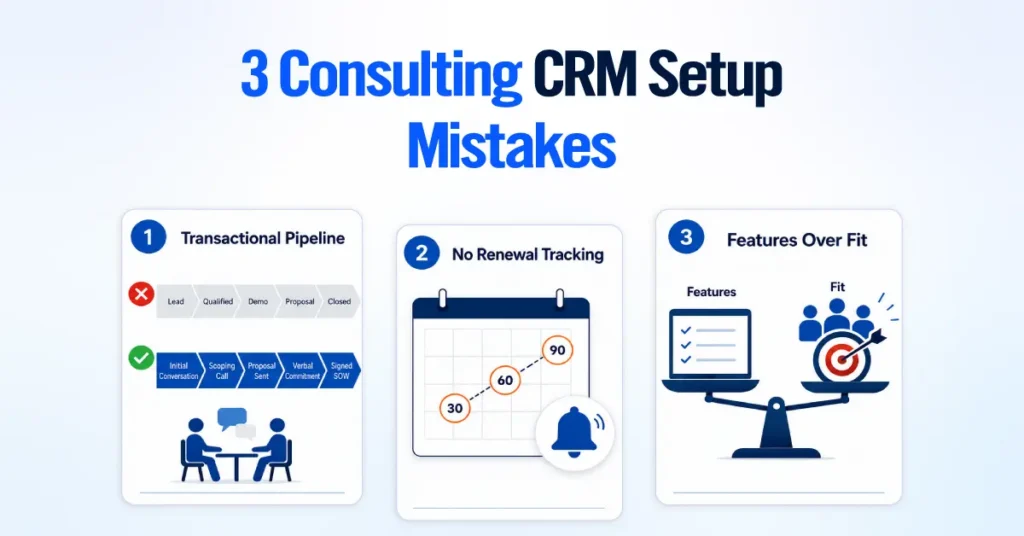
Most consulting CRM problems stem from three setup mistakes: the pipeline does not match how consulting deals actually move, retainers are not tracked before they expire, and the firm chose a CRM based on features rather than fit.
1. Using a Transactional Pipeline for a Relationship-Based Business
Many consulting firms start with a generic pipeline like Lead, Qualified, Demo, Proposal, and Closed. That works for software sales, but not for consulting. Most consulting deals start with a referral, a discovery call, a scoping conversation, or a proposal request.
A better pipeline should match the real buying process: Initial Conversation, Scoping Call, Proposal Sent, Verbal Commitment, and Signed SOW.
2. Not Tracking Retainer Renewals
Retainers are easy to lose when renewal dates live in someone’s inbox, calendar, or memory. If your CRM cannot show which retainers renew in the next 30, 60, or 90 days, revenue can quietly leak without anyone noticing.
This is usually easy to fix with a renewal date field, a client type field, and automated reminders before the renewal window.
3. Choosing a CRM for Features Instead of Fit
Many consultants choose their first CRM because it is cheap, familiar, or popular. The problem shows up later when the firm adds more team members, more retainers, or a referral network that needs proper tracking.
The best CRM is not always the one with the most features. It is the one that fits your sales cycle, client relationships, follow-up process, and team size.
What a CRM for Consultants Must Do
| A CRM built for consultants must do six things well, and most general-purpose sales CRMs are only built for one or two of them out of the box. 1. Track retainer and recurring revenue, not just one-time deals 2. Manage a proposal pipeline from initial brief to signed SOW 3. Handle multi-stakeholder deals with several contacts per account 4. Track business development activity separately from active sales 5. Support a clean handoff from the won deal to client onboarding 6. Integrate natively with Gmail and Google Workspace |
1. Retainer and Recurring Revenue Tracking
A consulting CRM must be able to flag which clients are on a retainer, what that retainer is worth, and when it is up for renewal. This means a recurring revenue field on the account or deal record, a renewal date, and an automated reminder well before that date arrives, not a manual calendar entry someone has to remember to set. Without this, retainer revenue behaves like a black box.
2. Proposal Pipeline Management From Brief to Signed SOW
The CRM needs to track everything from an initial scoping brief to a signed Statement of Work as a single continuous pipeline, not as a handoff between separate tools.
That means proposal versioning, a record of what was quoted and when, and ideally, an e-signature built in or tightly integrated, so a partner can see at a glance whether a $40,000 proposal sent three weeks ago is still awaiting a signature.
3. Multi-Stakeholder Deal Management
Consulting deals rarely have one buyer. A single engagement might involve an economic buyer who controls the budget, a champion who is pushing the project internally, and a technical evaluator who has to sign off on the approach, and losing track of any one of them can stall or kill the deal.
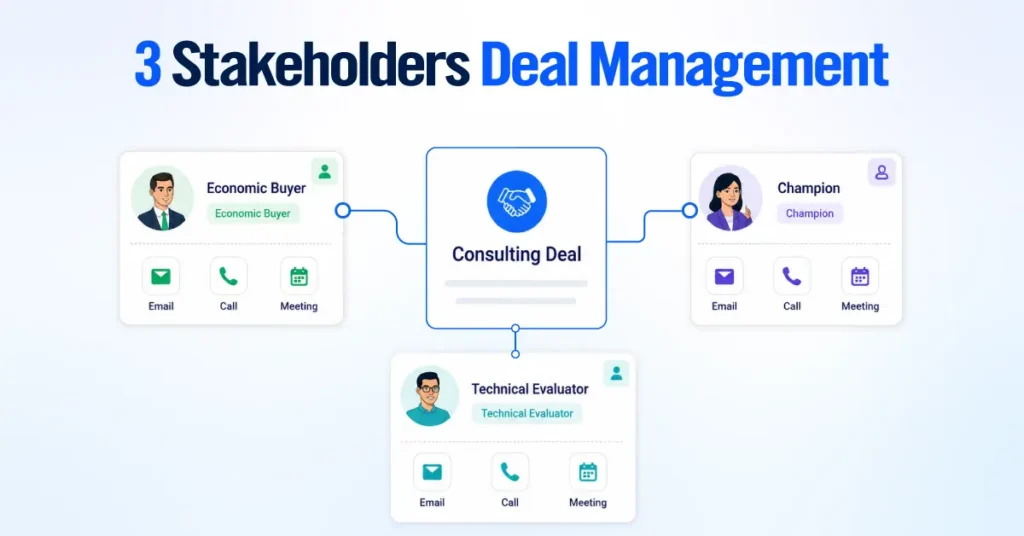
A CRM built for consultants needs to let you attach multiple contacts to a single deal, tag each person’s role in the buying decision, and log activity for each relationship separately rather than collapsing everyone into a single generic “contact” field.
This is standard in enterprise sales CRMs and frequently missing or bolted on poorly in lighter tools.
4. Track Business Development Activities
Not every business development activity is tied to an active deal. Meeting a referral partner, attending an industry event, or checking in with a past client can all lead to future opportunities.
Your CRM should let you log these activities, set reminders, and report on them even when no deal is attached. Otherwise, you’ll overlook the relationship-building work that drives future business.
5. Handoff New Clients to Delivery
When a deal is marked as won, the CRM should make it easy to hand the client over to your delivery team. Ideally, it should create a project, notify the right people, or automatically send the deal information to your project management software. This saves time, reduces manual work, and creates a smoother onboarding experience for new clients.
6. Gmail and Google Workspace Integration
If your team works mainly in Gmail, choose a CRM that integrates closely with Google Workspace. At a minimum, it should sync emails and calendars. Even better, it should let you manage CRM tasks directly inside Gmail. This keeps your sales records up to date automatically and saves you from switching between tools or logging emails by hand.
The 10 Best CRMs for Consultants in 2026
The best CRM for consultants depends on how your firm sells, how many people use the system, and whether you need simple pipeline tracking or a full client management workflow.
A solo consultant managing warm referrals needs a very different CRM from a 50-person consulting firm with multiple practice areas, approvals, and delivery teams.
For most boutique and mid-size consulting firms, the best CRM should make it easy to track opportunities, follow up with prospects, manage client relationships, and hand won deals into delivery without losing context.
| CRM | Best For | Starting Price | Free Tier | Google Native |
| Pipedrive | Boutique and mid-size firms | $14/mo | No | No |
| HubSpot | Marketing and CRM together | $15/mo | Yes, 2 users | No |
| Copper | Google Workspace and Gmail-first | $23/mo | No | Yes |
| Salesflare | Solo and independent consultants | $29/mo | No | No |
| Zoho CRM | Budget-conscious growing teams | $14/mo | Yes, 3 users | No |
| Salesforce | Large and enterprise firms | $25/mo | No | No |
| Folk CRM | Relationship-first consultants | $24/mo | No | No |
| 4Degrees | Management and strategy consulting | Custom | No | No |
| Insightly | CRM plus project management | $29/mo | No | No |
| HoneyBook | Contracts and invoicing plus CRM | $29/mo flat | No | No |
The prices above are the lowest paid per-seat, annual-billing entry point for each CRM (HoneyBook prices are per workspace, not per seat). Here is how each one actually performs for consulting work.
1. Pipedrive: Best for Boutique and Mid-Size Consulting Firms

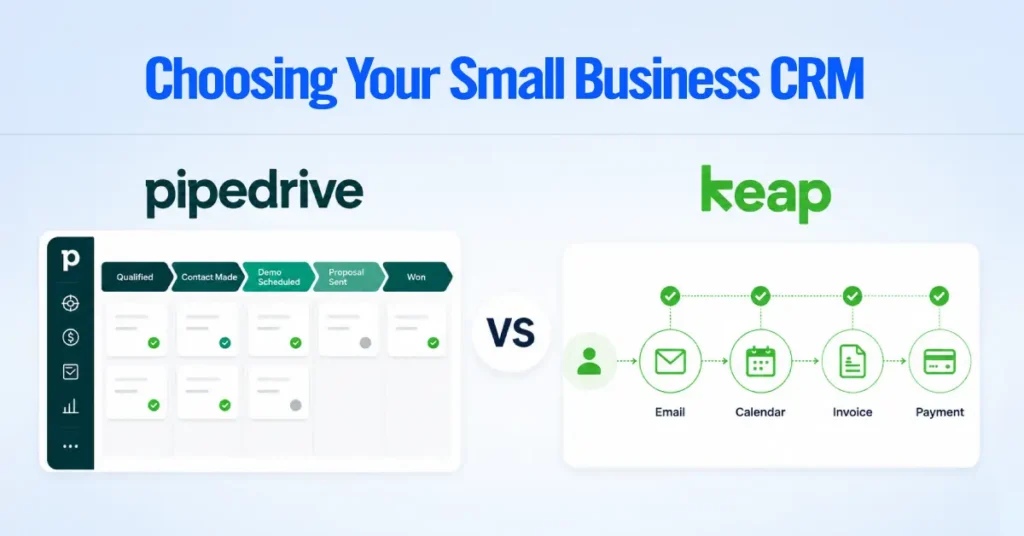
Pipedrive is the best overall CRM for most boutique consulting firms because it is simple, visual, and easy for partners to keep up to date. It works especially well for consulting teams of 2 to 15 people who need a clean sales pipeline without the complexity of enterprise systems.
For consultants, Pipedrive is strongest when set up with two pipelines: one for business development and one for delivery. This keeps new opportunities from getting buried under active client work.
The main limitation is that Pipedrive is not a native project management tool. If your firm needs sales and delivery tracking in one system, Insightly may be a better fit.
2. HubSpot: Best for Firms That Need Marketing and CRM Together

HubSpot is the better choice when a consulting firm generates leads through both referrals and inbound marketing.
If your firm uses newsletters, gated content, webinars, forms, landing pages, or nurture emails, HubSpot keeps marketing and sales data in one shared contact record.
This makes it easier to see the full buyer journey, from first website interaction to sales conversation.
HubSpot is often too much for firms that rely only on referrals and personal networks. In those cases, Pipedrive is usually simpler and more cost-effective.
3. Copper: Best for Google Workspace Consultants

Copper is the best CRM for consulting firms that already run on Gmail, Google Calendar, and Google Drive. It works directly within the Google Workspace environment, reducing manual data entry and making CRM adoption easier.
Emails, meetings, and files can be connected to client records with less friction than traditional CRMs. That makes Copper a strong fit for consultants who manage most relationships from their inbox.
Copper is less compelling for firms using Microsoft 365. Without the Google Workspace advantage, Pipedrive or HubSpot usually offers better value.
4. Salesflare: Best for Solo and Independent Consultants

Salesflare is a strong CRM for solo consultants who need pipeline visibility without having to manually log every email, meeting, or follow-up. It automatically captures contact activity and helps flag relationships that are going quiet.
This makes it useful for independent consultants managing multiple warm prospects, referral partners, and past clients at once.
The trade-off is scope. Salesflare is mainly a sales pipeline CRM. It does not replace proposal software, invoicing tools, contracts, or project management.
5. Zoho CRM: Best Budget CRM for Growing Consulting Teams
Zoho CRM is the best budget option for consulting firms that want structured lead, contact, and deal management without paying premium prices for a CRM. It is a practical starting point for small teams moving away from spreadsheets.
Zoho works well for firms that prioritize affordability and flexibility over interface polish. It also makes sense if your business already uses other Zoho apps.
The downside is usability. Compared with Pipedrive, Copper, or HubSpot, Zoho can feel more complex and less intuitive for busy partners.
6. Salesforce: Best for Large Consulting Firms
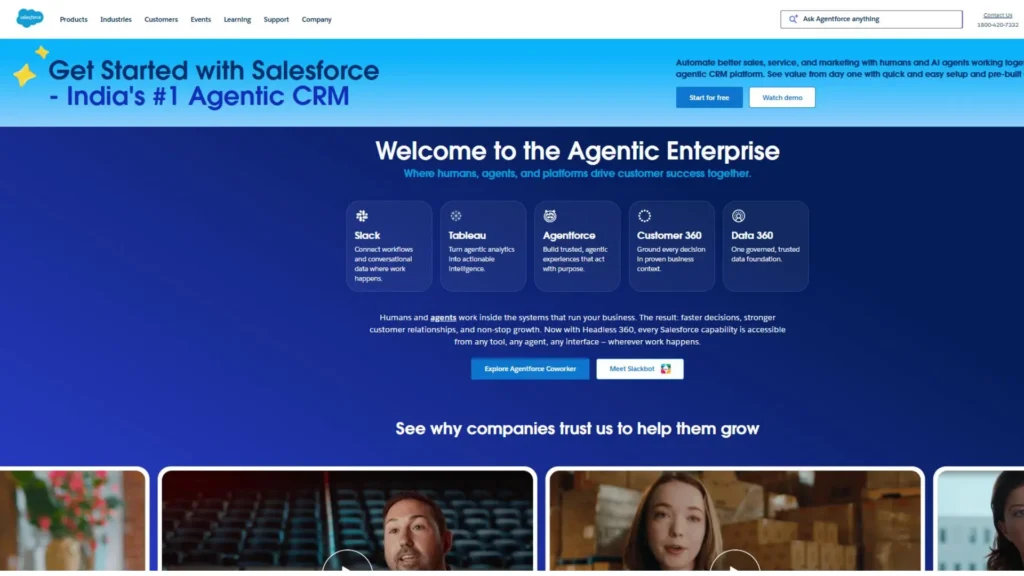
Salesforce is best for larger consulting firms with complex sales processes, multiple practice areas, approval workflows, custom reporting needs, and a dedicated CRM admin or RevOps team.
It can support advanced account management, forecasting, custom objects, territory rules, and deep integrations. For firms with 40 to 50+ people, that level of structure can be valuable.
For smaller consulting firms, Salesforce is often too heavy. Without an admin, data quality and adoption can decline quickly, making the CRM expensive to maintain.
7. Folk CRM: Best for Relationship-First Consultants
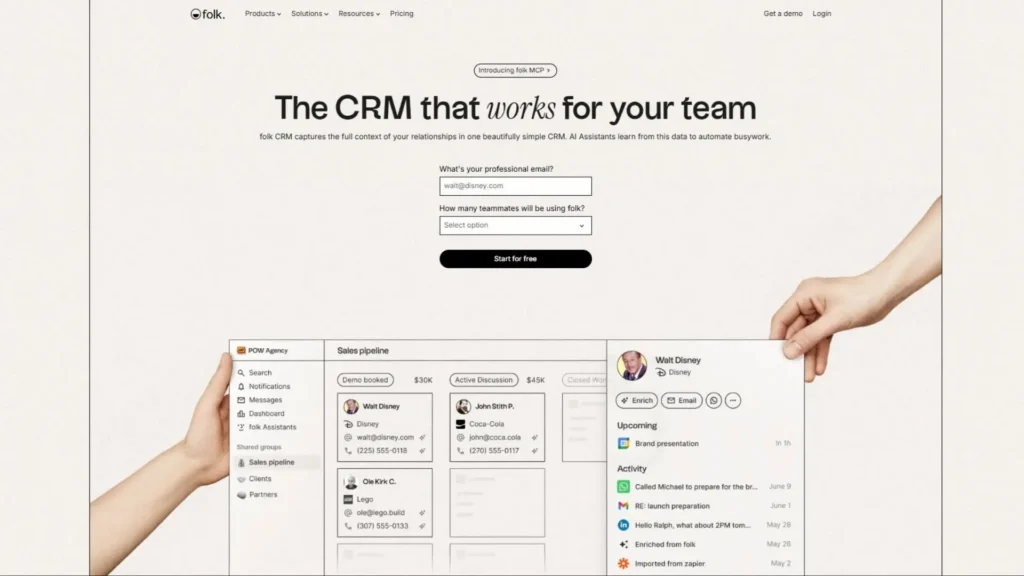
Folk CRM is a good fit for consultants whose business development starts with LinkedIn, introductions, events, and warm networks. It is lighter than a traditional CRM and better for relationship management than complex deal tracking.
It helps consultants organize contacts, enrich profiles, track interactions, and manage light outreach.
Folk is best for solo consultants or small advisory firms with low deal complexity. If your firm has a structured proposal process, multiple deal stages, or detailed forecasting needs, Pipedrive is usually the stronger fit.
8. 4Degrees: Best for Strategy, M&A, and PE Advisory Firms

4Degrees is not a standard CRM. It is a relationship intelligence platform built for firms where warm introductions drive high-value opportunities.
It helps answer a critical consulting BD question: “Who do we know at this company?” For management consulting, strategy consulting, M&A advisory, private equity, and deal-sourcing teams, it can be more valuable than a basic sales pipeline.
4Degrees is not the right fit for a simple referral-based boutique firm. If you mainly need to track leads, proposals, and follow-ups, use a traditional CRM instead.
9. Insightly: Best for CRM and Project Management Together
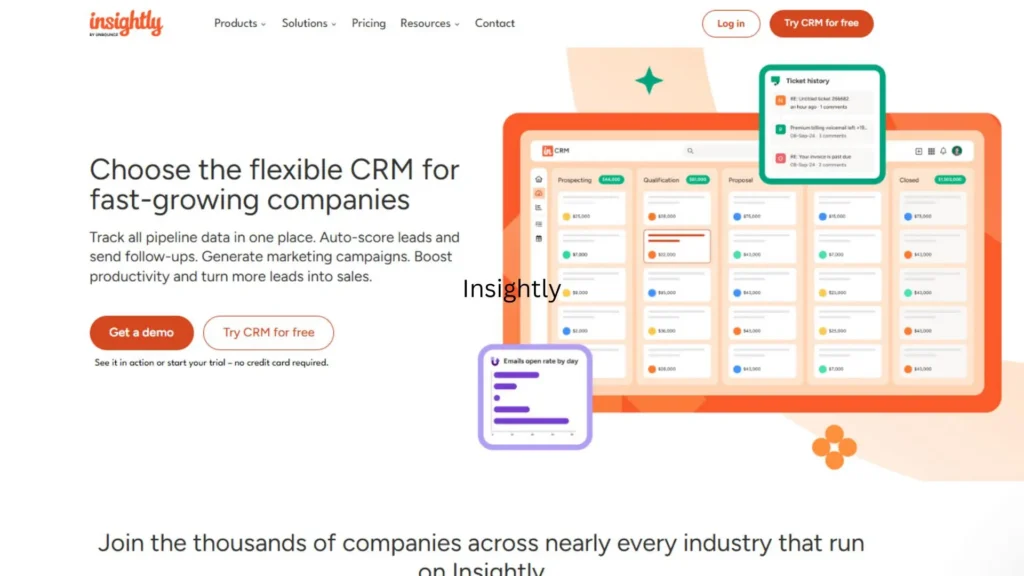
Insightly is best for consulting firms that need sales tracking and project delivery on a single platform. It helps solve the common handoff problem in which a deal closes, but the delivery team has to rebuild the client context from scratch.
With Insightly, a won opportunity can become a project, carrying over contacts, notes, scope, and tasks.
This is useful for IT consulting firms, implementation partners, and professional services teams with repeatable delivery processes. If your only need is pipeline tracking, Pipedrive is usually simpler.
10. HoneyBook: Best for Solo Consultants Who Need Contracts and Invoicing

HoneyBook is not a traditional CRM, but it works well for solo consultants who need proposals, contracts, invoices, payments, scheduling, and client communication in one place.
It is best for consultants who sell packaged services and want to manage the client journey from inquiry to payment without having to stitch together multiple tools.
HoneyBook is too lightweight for serious pipeline management. Once you are tracking more than a few active opportunities or working with a team, a dedicated CRM like Pipedrive, HubSpot, Copper, or Salesflare is a better fit.
Which CRM Should Your Consulting Firm Use?

Use the table below to match your firm type to the right starting point. The “Key Setup” column reflects what we configure in practice, not just what the vendor markets.
| Firm Type | CRM Pick | Why | Key Setup |
| Solo consultant, any budget | Salesflare | Auto-logs emails, meetings, and LinkedIn activity. No manual data entry. | Set idle-deal alerts at 2 and 4 weeks to catch conversations going cold |
| Solo, Google Workspace | Copper | Lives inside Gmail natively. Zero context-switching. | Needs Professional ($59/seat) to run a sales pipeline, not just contacts |
| Solo, zero budget | HubSpot Free | Real deal management at no cost. Limit is 2 users and 1,000 contacts. | Build your workflows knowing that cap exists before you hit it |
| Boutique firm, 2 to 15 people | Pipedrive | Partner adoption without training. Separate BD and delivery pipelines. | Two pipelines. BD (Initial Conversation to Proposal Sent) and Delivery (Kickoff to Project Complete) |
| Retainer-based firm, any size | Pipedrive | Most cost-effective base for retainer automation with custom fields. | Renewal reminder fires 60 days before renewal date, sent to account owner with engagement history |
| Budget-constrained team | Zoho CRM | Professional tier costs less than one HubSpot Sales Hub Pro seat for three users. | Start on free (3 users) for 60 to 90 days to prove adoption before paying |
| Management or strategy consulting | Pipedrive + multi-stakeholder setup | Handles 6 to 7 stakeholders per deal when structured correctly. | Tag contacts by role. Economic buyer, internal champion, technical evaluator. Log activity per contact, not per deal. |
| PE advisory, M&A, deal sourcing | 4Degrees | Scores the strength of relationships across the firm’s entire network. Maps the warmest path to any target. | Requires a custom quote. Only justified when a warm introduction has a six or seven-figure upside. |
| Large firm, 40 plus people | Salesforce | Multi-practice routing, custom objects, enterprise integrations. | Requires a dedicated admin. Without one, field quality degrades within 12 to 18 months. |
| IT consulting and MSPs | Insightly | Won deal converts directly to a project record with scope and contacts already attached. | Task templates fire on deal close. Kickoff checklist for delivery lead, onboarding email for client, 30-day check-in for account owner |
| Solo needs contracts and invoicing | HoneyBook | Proposals, e-signature, invoicing, and client portal in one flat-rate subscription. | Pipeline management is too lightweight for more than 5 to 6 active opportunities. Graduate to Salesflare or Pipedrive when BD grows. |

Are You Solo or Running a Team?
A solo consultant should optimize for low admin overhead and either a free tier or the cheapest paid plan, since Salesflare, Copper, or HubSpot Free will outperform a heavier system you do not have time to maintain.
A team of five or more should optimize for shared pipeline visibility and role-based permissions instead, which points toward Pipedrive, Zoho, or Insightly, depending on budget.
Are You Primarily Google Workspace or Microsoft?
If your firm runs on Google Workspace, Copper’s native integration is worth a real premium over its competitors, since it eliminates the manual logging that causes most CRM adoption to fail.
If you run on Microsoft 365, that specific advantage disappears, and Pipedrive, HubSpot, and Zoho all offer comparable Outlook integration instead, so the decision should shift to pricing and pipeline fit.
Do You Need Proposal Management Built In?
If your proposals are complex, multi-page documents with pricing tables and e-signature requirements, weight this heavily toward Pipedrive with Smart Docs, HubSpot, or HoneyBook, all of which handle proposal generation and signature natively.
If your proposals are typically a one-page scope email, this feature matters far less, and a lighter CRM like Salesflare or Folk will not leave you missing much.
Are You Billing Retainers or Project Fees?
Firms billing retainers should prioritize whichever CRM they are willing to customize with recurring revenue fields and renewal automation, since none of the ten CRMs above handle this natively out of the box.
Firms that bill purely on a per-project basis can skip this requirement entirely and instead choose based on pipeline usability and price.
CRM Pricing Comparison for Consulting Firms
| CRM | Entry Tier | Mid Tier | Top Tier | Free Tier |
| Pipedrive | $14/mo (Lite) | $49/mo (Premium) | $79/mo (Ultimate) | No |
| HubSpot | Free | $15 to $100/mo (Starter to Sales Hub Pro) | $150 plus/mo (Enterprise) | Yes, 2 users |
| Copper | $23/mo (Basic) | $59/mo (Professional) | $99/mo (Business) | No |
| Salesflare | $29/mo (Growth) | $49/mo (Pro) | $99/mo (Enterprise) | No |
| Zoho CRM | Free | $23/mo (Professional) | $52/mo (Ultimate) | Yes, 3 users |
| Salesforce | $25/mo (Starter Suite) | $175/mo (Enterprise) | $550/mo (Agentforce 1 Sales) | No |
| Folk CRM | $24/mo (Standard) | $48/mo (Premium) | $80 plus/mo (Enterprise) | No |
| 4Degrees | Custom quote | Custom quote | Custom quote | No |
| Insightly | $29/mo (Plus) | $49/mo (Professional) | $99/mo (Enterprise) | No |
| HoneyBook | $29/mo flat (Starter) | $49/mo flat (Essentials) | $109/mo flat (Premium) | No |
All figures are per user per month on an annual billing cycle, except for 4Degrees (quote-based) and HoneyBook (flat per workspace, not per seat).
Monthly billing runs meaningfully higher on most of these platforms, so confirm the annual rate before comparing across vendors.
Final Recommendation
For most consulting firms, Pipedrive is the best CRM overall because it is simple, visual, affordable, and easy for partners to use consistently.
Choose HubSpot if marketing and sales need to work together. Choose Copper if your firm runs on Google Workspace. Choose Salesflare if you are a solo consultant. Choose Zoho CRM if budget matters most. Choose Salesforce only if your firm has the size and admin support to manage it properly.
The best CRM for consultants is not the one with the most features. It is the one your team will actually keep up to date.