AI Summary





Pipedrive looks simple at first glance, and that is exactly why many small sales teams consider it. You get a visual pipeline, clear deal stages, email sync, automations, reporting, and AI support without the weight of an enterprise CRM.
The real question is whether Pipedrive gives a small business enough value to justify the cost. The pricing looks straightforward at first, but the features available on each plan can make a big difference to what your team can actually do day to day.
That is what this review helps answer.
We have implemented Pipedrive for dozens of small businesses, and we have seen both sides of it. It can help a lean sales team get organized quickly, follow up more consistently, and stop deals from disappearing in spreadsheets or inboxes. It can also become more expensive than expected once you need stronger reporting, automation, lead tools, or document features.
This review breaks down what Pipedrive does well, where it falls short, what each plan really costs in 2026 after the late-2025 rebrand, and which small businesses should choose it. No ranking promises, no hype, and no feature-list padding. Just the details you need before your 14-day trial starts.
Quick Verdict:
| Category | Verdict |
| Overall rating | 4.3/5 |
| Best for | Small, sales-focused teams that want a simple pipeline CRM |
| Starting price | $14/user/month, billed annually |
| Free plan | No. 14-day free trial only |
| G2 rating | 4.3/5 |
| Capterra rating | 4.5/5 |
TL;DR
- Pipedrive is a sales-focused CRM best suited to teams of 1–20 people who want fast setup and clean pipeline management without a dedicated admin.
- Pricing runs from $14/user/month (Lite) to $79/user/month (Ultimate) on annual billing, with four plans: Lite, Growth, Premium, and Ultimate.
- There is no free plan, only a 14-day trial. For most active sales teams, Growth at $39/user/month is the right starting point because it unlocks two-way email sync, automation, and forecasting.
- It’s the wrong choice if you need built-in marketing automation, a permanently free tier, or enterprise-grade reporting at the entry price.
What Is Pipedrive CRM and How Does It Work for Small Businesses?
Pipedrive is a cloud-based CRM built to help sales teams manage their pipeline from first contact to closed deal. It focuses on lead management, pipeline organization, sales task automation, and faster deal closing. Launched in 2010, it has grown into a globally trusted CRM used by more than 100,000 companies.
It puts your entire pipeline on one simple board. You drag deals from stage to stage and see exactly what needs attention today. This helps small teams track every call, email, and next step in one place, and it keeps managers informed without heavy reports or formal training.
The platform combines a visual pipeline dashboard, contact management, email integration, activity reminders, and light workflow automation. It runs on both web and mobile, so you can update deals from the office or on the road. Because it’s delivered as software-as-a-service, setup is fast and updates happen automatically in the background. That means less maintenance for busy owners and more time spent selling.
Key Pipedrive Features for Small Businesses
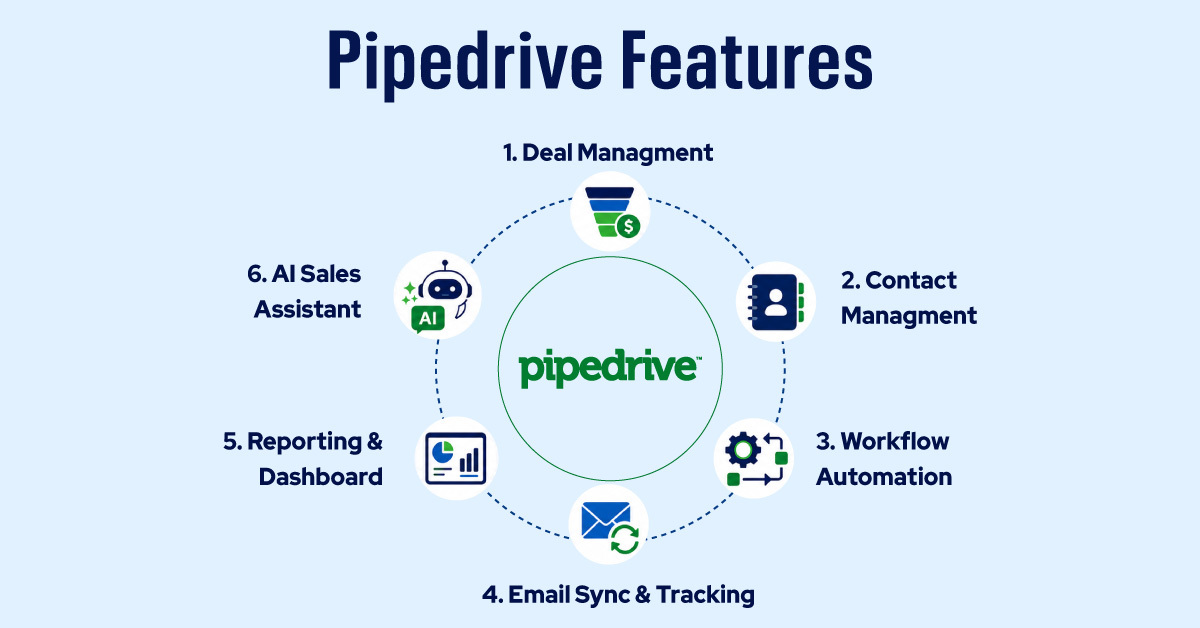
If you run a small sales team, you need a CRM that does the right things without requiring a dedicated admin to keep it running. It doesn’t need to do everything a business could ever want. Pipedrive built its reputation on exactly that focus.
We’ve worked with enough small businesses to know that most CRM rollouts fail not because the software is bad, but because teams drown in features they don’t need and never gain traction with the ones they do. So here are the six Pipedrive features you should actually understand before you commit.
Deal Management
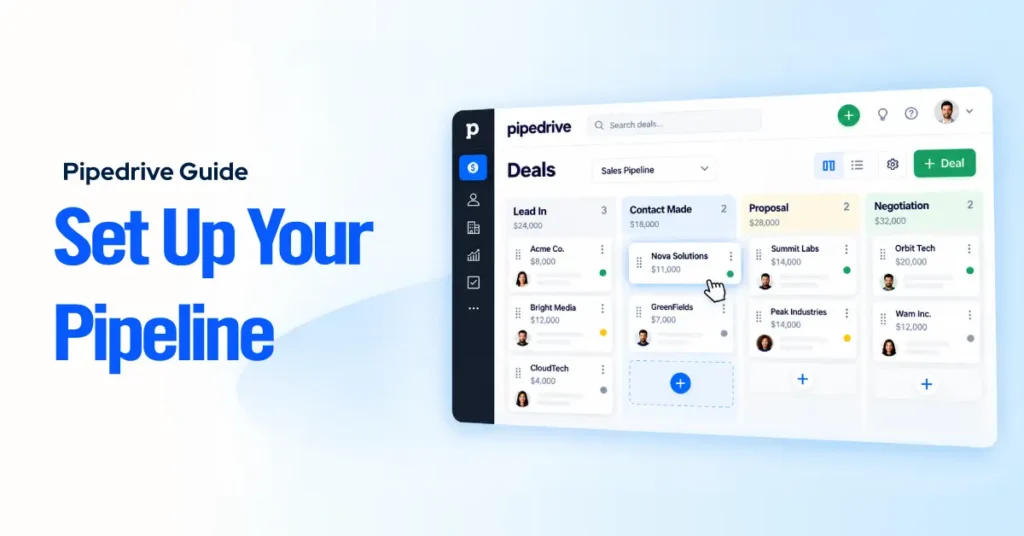
The visual pipeline is the first thing you’ll notice. Deals appear as cards on a kanban-style board, organized by stage, and you drag them across as they progress. The whole team gets an immediate, shared view of where every opportunity stands.
Pipedrive earns extra credit for the details. You can add custom fields to any deal, so if your sales process tracks contract value, decision timeline, or a procurement contact, those fields appear right on the deal card. Multiple pipelines let you run separate processes side by side, which is especially useful when you sell different products or services under different models.
Deal-rotting alerts are the quiet hero of this feature. When a deal hasn’t been touched within a number of days you define, Pipedrive flags it. Our clients find that this alone prevents a meaningful number of deals from going cold through simple inaction rather than genuine disqualification.
Contact Management
A CRM with messy contact data is a CRM your team will avoid. Pipedrive keeps it clean. Each contact connects to a company record, and every call, email, meeting, and note builds a clear activity history around that person.
That means anyone on the team can step into a deal without a full handover. They can see recent conversations, the procurement note, and the deal value in one place. That continuity matters when someone is on vacation or when a deal moves from one rep to another.
It isn’t the most advanced contact database available. If you need complex account hierarchies, you may hit limits. But for a small team managing a few hundred to a few thousand contacts, it does the job without adding friction.
Workflow Automation
Workflow automation, or sales automation as it’s often called, surprises small teams the most, because the assumption is that automation belongs to the enterprise. In reality, it unlocks on the Growth plan and higher, so it should factor into your plan decision from the start.
The logic is trigger-based. When something happens (a deal moves to a new stage, a contact is created, a task is completed), Pipedrive can automatically fire an action, such as sending an email, creating a follow-up task, updating a field, or notifying a teammate. You build these rules in a visual editor that requires no technical knowledge.
We’ve seen the fastest return for small teams in the follow-up gap. Most small businesses lose deals not because their product is weaker, but because a competitor followed up and they didn’t.
Email Sync and Tracking
Pipedrive connects directly to Gmail and Outlook through two-way sync. Emails you send from your inbox are automatically logged against the correct contact and deal, and incoming emails are matched and pulled in as well. The deal record stays up to date without anyone having to copy and paste correspondence.
On top of that, you get open and click tracking, which tells you when a prospect has read your proposal or clicked a link. That context changes how you follow up. If someone opened your pricing email four times in two days, that’s a very different conversation than reaching out cold.
Email templates and sequences round this out. Templates save time on repetitive outreach, and sequences let you build multi-step email cadences that run automatically until a prospect replies or the sequence ends. For a small team doing outbound, this is a genuine advantage.
Reporting and Dashboards
What you get here depends on your plan, and that’s worth stating plainly, especially since Pipedrive rebranded all its plans in late 2025. If you’re reading older reviews that mention Essential, Advanced, or Professional, those names no longer exist. The current tiers are Lite, Growth, Premium, and Ultimate.
On Lite, you get one dashboard and a capped number of reports, enough for a solo founder or tiny team that needs a basic pipeline view. Growth adds sales forecasting and a predictive revenue view. Multiple custom dashboards arrive at Premium, where you can build team-specific views, set goals, and track conversion rates by stage with detailed visual breakdowns.
Premium and Ultimate users can also generate reports using plain-English prompts. Describe the chart you want, and Pipedrive builds it from your pipeline data. This works well when your underlying data is clean and consistently entered. If your team is inconsistent with deal stages or custom fields, the AI will produce technically correct charts that answer the wrong questions.
AI Sales Assistant
One of the smarter moves Pipedrive has made with AI is including its Sales Assistant on every plan, including Lite. Many competing CRMs lock AI features behind higher tiers.
The Assistant watches activity across your pipeline and flags deals that may be slipping. It doesn’t just surface deals that have gone quiet; it also looks for patterns that have led to lost deals before. Then it suggests a next step, such as making a call, resending a document, or looping in another contact. These suggestions come from your own pipeline history, not a generic playbook.
The AI features grow more useful as you move up the plans. On Growth and above, you get AI email tools, including draft generation, summaries for long threads, and sentiment checks. On Premium and Ultimate, AI-generated reporting brings the same support into your dashboards.
It’s worth being clear about the limits. The next-step suggestions improve as your pipeline accumulates data. A new account with 20 deals won’t give the system much to learn from. But the AI still helps from day one by showing which deals need attention now. For a small team managing 50 to 150 active deals with limited time, that prioritization is valuable even before the predictive side gets stronger.
Pipedrive Pricing Plans for Small Businesses in 2026
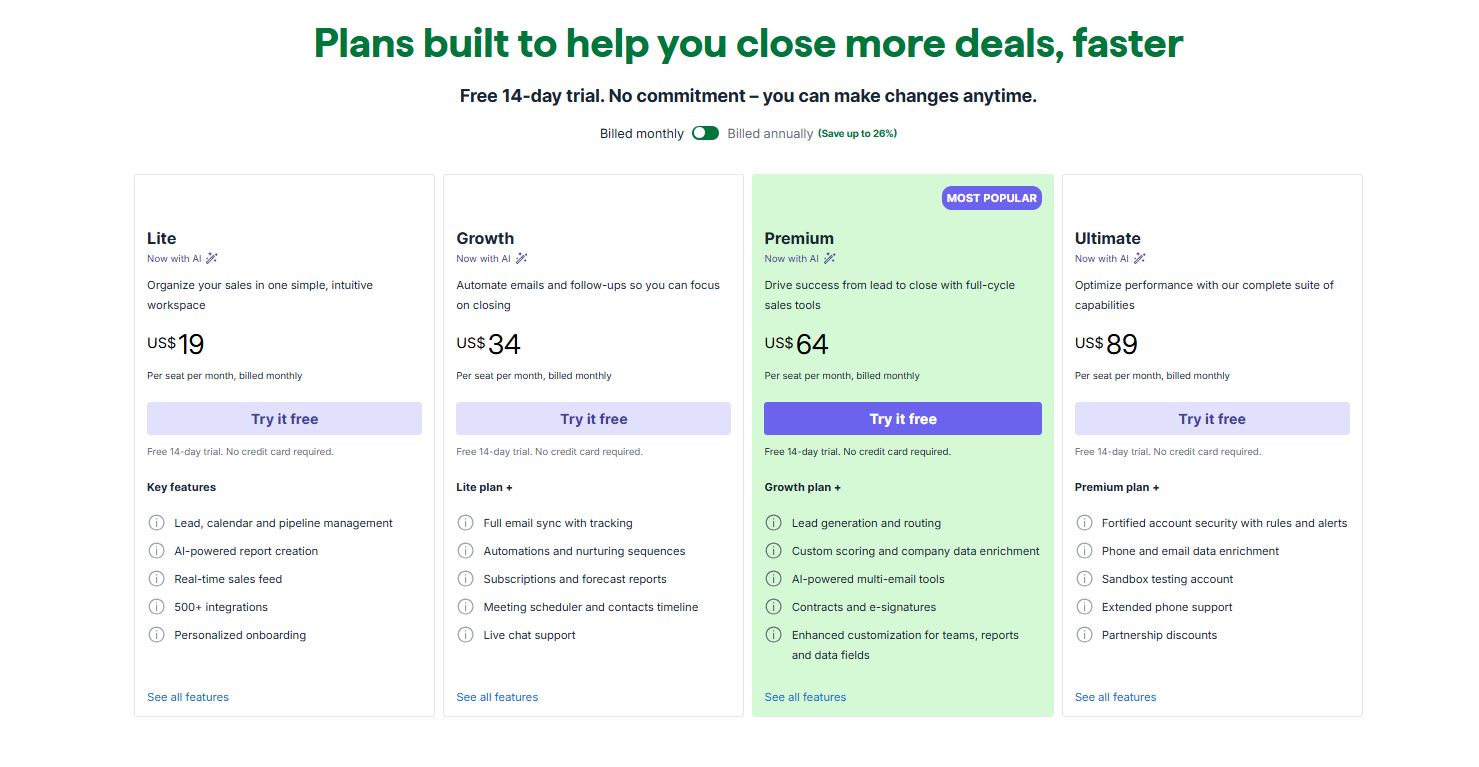
Pipedrive rebranded its plans in late 2025. The Essential, Advanced, Professional, Power, and Enterprise plans no longer exist. The current tiers are Lite, Growth, Premium, and Ultimate. We verified these prices against Pipedrive’s pricing page in mid-2026, but pricing varies by region and billing cycle, so always reconfirm before you commit.
| Plan | Annual (per user/mo) | Monthly (per user/mo) | Best fit |
| Lite | $14 | $24 | 1–2 users, basic pipeline tracking |
| Growth | $39 | $49 | 3–10 users, email sync + automation |
| Premium | $59 | $79 | 5–15 users, forecasting, lead scoring, e-signatures |
| Ultimate | $79 | $99 | Larger teams needing advanced permissions and priority support |
Annual billing saves up to 42% compared with monthly billing. Most teams we work with commit to annual once they’ve confirmed the tool is sticking; monthly billing makes sense only during active evaluation.
One thing the base price doesn’t include: Campaigns, Web Visitors, and Smart Docs cost extra on Lite and Growth and are billed per company. On Premium and Ultimate, several of those add-ons are bundled in. A five-person Growth team that stacks LeadBooster and Smart Docs can end up close to or above the cost of Premium, which bundles them. Run that math before choosing a plan.
How Much Does Pipedrive Cost for 7 Users and 100,000 Contacts?
A 100,000-contact database does not change the price. Pipedrive charges by user seat, not by contact volume. For 7 users and 100,000 contacts, the cost is:
- Lite: $98/month annual, or $168/month monthly
- Growth: $273/month annual, or $343/month monthly
- Premium: $413/month annual, or $553/month monthly
- Ultimate: $553/month annual, or $693/month monthly
Billing can feel more complicated than it is, because many CRMs charge on a mix of users, contacts, storage, and feature limits. Pipedrive is simpler. Contact storage is unlimited on every plan, so a team with 100,000 contacts pays the same as a team with 5,000, as long as the user count matches.
To calculate your cost, you need one number: how many users need access. The formula is simply the number of users multiplied by the per-user price.
| Plan | Annual billing | Monthly billing |
| Lite | 7 × $14 = $98/mo | 7 × $24 = $168/mo |
| Growth | 7 × $39 = $273/mo | 7 × $49 = $343/mo |
| Premium | 7 × $59 = $413/mo | 7 × $79 = $553/mo |
| Ultimate | 7 × $79 = $553/mo | 7 × $99 = $693/mo |
For most 7-person sales teams, Growth at $273/month on annual billing is the best place to start. It covers the features that move deals forward: two-way email sync, workflow automation, revenue forecasting, and the meeting scheduler.
Lite at $98/month looks cheaper, but it lacks the features that make a CRM useful for active selling. Without automation and full email sync, it behaves more like a pipeline viewer than a sales management tool. If your team is actively prospecting, sending proposals, and managing a busy pipeline, start with Growth and reassess Premium after six months, once you know which advanced features the team actually uses.
Does Pipedrive Have a Free Plan?
No. Pipedrive has no permanent free plan. It offers a 14-day free trial on every tier, no credit card required, with full access to the plan you select, including automation, dashboards, and email sync. Fourteen days is enough to know whether the tool fits, but not enough to be passive about testing it.
When the trial ends, your account locks. You can view existing data, but can’t add or move anything. If you don’t add billing details, the account enters a deletion queue. Pipedrive generally allows data recovery within 60 days through support, but it’s far easier to add a card before day 14 and cancel immediately if it isn’t the right fit.
If a free plan is a firm requirement, the closest comparison is HubSpot’s free CRM.
| Feature Name | HubSpot Free | Pipedrive Lite ($14/user/mo) |
| Cost | Free, unlimited users | $14/user/month (annual) |
| Pipeline management | Basic, limited stages | Full kanban, multiple pipelines |
| Email sync | One-way log (Gmail/Outlook) | Smart BCC only; two-way requires Growth |
| Workflow automation | Not included | Not included; requires Growth |
| Reporting | Basic | Basic + AI Sales Assistant |
| Contacts | Large free contact allowance | Unlimited |
| Support | Community only | Email support |
Top 7 Pros of Pipedrive for Small Businesses
Fast Setup, With Most Teams Live Within an Hour
Most small teams are operational the same day they sign up due to Pipedrive’s ease of use. The interface is drag-and-drop throughout, pipeline stages are pre-built but fully editable, and there’s no need for IT involvement or formal training.
That’s a sharp contrast to HubSpot, which requires mapping marketing and CRM objects before it’s useful, or Salesforce, where an implementation project is effectively the default. For an owner who needs the tool working before the week is out, the onboarding experience alone sets Pipedrive apart.
A Visual Pipeline That Removes Sales Guesswork
The kanban deal board is the clearest expression of what Pipedrive is built to do. Every open deal is visible at a glance. Custom stages mean the board reflects how your team actually sells, not a generic template. Color-coded deal-health indicators surface which opportunities are drifting before they turn into losses.
We’ve seen teams retire their weekly pipeline review meetings within a month of adopting the board because the board already answers most of the questions those meetings were meant to cover.
Pricing That Scales From Solo to Team
At $14 per user per month on an annual plan, Lite is a genuine entry point for a solo founder or a two-person team getting organized. Growth at $39 turns the tool into a real sales engine for small teams.
The step between tiers is gradual enough that most small businesses don’t hit a pricing cliff. You upgrade when the features justify it, not because the platform forces your hand. Add-ons are billed per company rather than per user, which also softens the cost impact for small teams.
Email Sync and Automated Follow-Ups
Two-way email sync with Gmail and Outlook automatically logs every sent and received email to the right deal. Open and click tracking tells you exactly when a prospect engages with something you sent.
Sequences let you build multi-step follow-up cadences that run automatically until a reply lands. For small teams running outbound without a dedicated SDR function, this combination removes the most common reason deals go cold.
500+ Integrations via the Marketplace
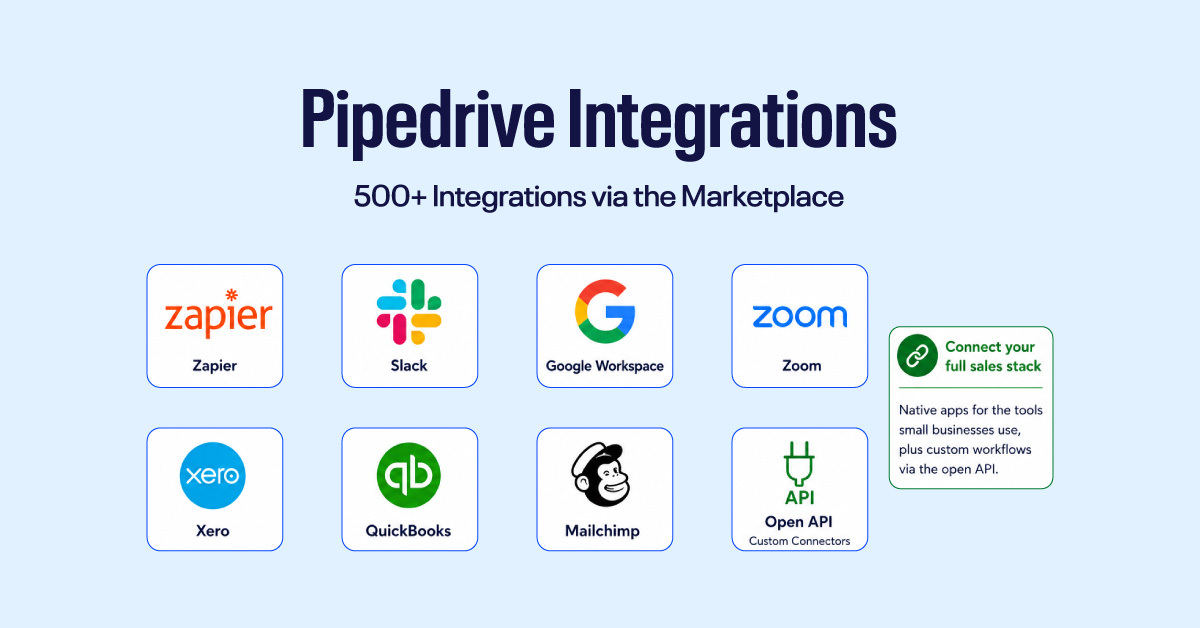
The Pipedrive Marketplace has grown past 500 native integrations, covering the tools small businesses actually use: Zapier, Slack, Google Workspace, Zoom, Xero, QuickBooks, Mailchimp, and more.
The open API extends that further for any custom connection your workflow needs. In practice, Pipedrive sits at the center of your sales stack rather than beside it; deal data flows in and out without manual exports or duplicate entry.
Mobile App for Field and Remote Teams
The iOS and Android apps are fully functional, not stripped-down companions. Reps can move deals, log calls, add notes, and update activities entirely from their phones. Offline mode means a weak signal doesn’t block any of that, and changes sync automatically once connectivity returns. The nearby view uses geolocation to surface contacts and deals close to your current location, which is genuinely useful for field sales teams planning client visits.
AI-Powered Deal Insights on All Paid Plans
Pipedrive includes its AI Sales Assistant from the entry-level Lite plan. It monitors pipeline activity to flag deals showing early signs of stalling, surfaces next-best-action suggestions grounded in your own deal history, and distinguishes between deals that simply haven’t moved and deals showing genuine decay signals.
It doesn’t replace good sales judgment, but for a small team managing 50 to 150 active deals, it helps you see which deals need attention right now.
What Are Pipedrive’s Limitations for Small Businesses?
The Lite Plan Hits Its Ceiling Quickly
The entry plan covers the basics, but its limits (30 custom fields, 15 reports per user, one dashboard, and no workflow automation) show up fast. Most growing small businesses move to Growth within the first few months, especially once they need email sequences and automated follow-ups.
Stronger Reporting Is Locked to Premium
Basic reports and one dashboard arrive on Growth, but the multi-dashboard reporting a growing team actually needs starts on Premium at $59 per user per month. For small teams that need more than simple deal counts, this can push Pipedrive’s real cost above what the entry price suggests.
Add-Ons Inflate the Real Monthly Cost
The base price excludes several features that feel like they should be standard. Email marketing (Campaigns), website visitor tracking (Web Visitors), and live chat and prospecting tools (LeadBooster) all cost extra and are billed per company.
A Growth team adding Campaigns and LeadBooster pays meaningfully more than the seat price implies. Premium bundles LeadBooster, Smart Docs, and Projects which change the true cost comparison. On the lower tiers, the add-on bill deserves scrutiny before you commit.
No Built-In Marketing Automation
There’s no native lead nurturing, no landing page builder, no ad attribution, and no customer-journey automation beyond email sequences. For businesses where one small team handles both marketing and sales from shared data, this is a real gap.
Pipedrive is a sales CRM, not a marketing platform. HubSpot is the natural comparison; its free and starter tiers combine CRM with basic marketing tools in one place, which can simplify the stack for early-stage teams even if the sales features are less focused.
Not Built for Complex Sales Operations
Pipedrive works well for straightforward sales teams, but it has ceilings. It doesn’t offer territory management or custom objects, and stronger role-based permissions only arrive on the Ultimate plan.
If your business runs multiple product lines, separate sales teams, or clients with several internal stakeholders, Pipedrive can feel too simple. Its data structure is fairly flat, which makes complex sales workflows harder to manage. That doesn’t make it a bad CRM; it just isn’t built for enterprise-level operations. Before committing, confirm your sales process aligns with how Pipedrive is designed.
The Automation Builder Takes Time to Get Right
Pipedrive’s workflow builder on Growth is visual and requires no code, but useful automations still take time to construct. The interface looks simple, yet good automations need the right conditions, delays, and logic. Without testing, teams often end up with automations that do too little or fire at the wrong moment.
Is Pipedrive the Best CRM for Small Businesses?
Pipedrive is the strongest option for small businesses whose primary activity is sales pipeline management, specifically teams of 1–20 people who need a sales CRM that’s operational quickly and doesn’t require a dedicated admin. It is not the best option for teams that need marketing automation, a permanently free tier, or complex reporting without upgrading to Premium.
| Pipedrive | HubSpot | Zoho CRM | Monday CRM | |
| Free plan | No (14-day trial) | Yes (unlimited users) | Yes (up to 3 users) | Yes (individuals only) |
| Starting paid price | $14/user/mo | $15/user/mo | $14/user/mo | $12/seat/mo (3-seat min) |
| Best for | Sales-focused teams | Sales + marketing alignment | Budget-conscious SMBs | Flexible custom workflows |
| Pipeline UX | Excellent | Good | Moderate | Good |
| Ease of setup | Very fast | Moderate | Moderate | Fast |
HubSpot’s free tier is the default starting point for teams not ready to spend. Zoho undercuts Pipedrive on price and adds a free plan for up to three users, but its interface is more complex and takes longer to configure. Monday CRM is highly flexible but covers sales pipeline management less deeply than a dedicated sales CRM. Pipedrive is the right choice when the team’s focus is closing deals and setup speed is a constraint.
Who Is Pipedrive Best For?
Pipedrive is best for B2B sales teams, consultants, agencies, professional services firms, and SDR-led outbound teams, any organization whose core workflow is moving qualified prospects through a defined sales process to close.
| Use case | Recommended plan | Reason |
| Solo founder | Lite ($14/user/mo) | Pipeline and contact management without paying for unused team features |
| 3–5 person team | Growth ($39/user/mo) | Two-way email sync, automation, and forecasting at a team-appropriate price |
| 10–20 person team | Premium ($59/user/mo) | Multiple dashboards, lead scoring, and bundled add-ons |
It’s a poor fit for e-commerce businesses, where cart abandonment flows, lifecycle marketing, and post-purchase automation are central. It’s also the wrong choice for organizations that need marketing and sales to operate from a single platform.
Is Pipedrive Worth It for Small Businesses? Our Verdict
Pipedrive is a strong fit for sales-focused teams of fewer than 20 people, especially those who want a CRM they can set up quickly and use without much training. It works best for teams that care more about pipeline management, follow-ups, email sync, automation, and forecasting than built-in marketing tools.
It is not the right choice if you need a permanently free CRM, built-in marketing automation, or advanced reporting without upgrading your plan.
For most small businesses, the best starting point is Growth at $39 per user per month on an annual billing plan. It includes the features a sales team actually uses daily: two-way email sync, workflow automation, nurturing sequences, revenue forecasting, meeting scheduling, and AI support. Lite suits solo users or very basic pipeline tracking, but most active sales teams outgrow it quickly. Premium becomes the better choice when you need stronger reporting, lead scoring, document tools, e-signatures, or more team-level customization.
Need help setting up Pipedrive for your team? Talk to an Axis consultant →
Frequently Asked Questions
Does Pipedrive have a free plan?
No. Pipedrive does not offer a permanent free plan. It offers a 14-day free trial on every tier, with no credit card required, after which a paid plan is required. Pricing starts at $14 per seat per month on an annual billing plan. If a permanently free CRM is a hard requirement, HubSpot’s free tier is the closer fit.
Is Pipedrive worth it for small businesses?
Yes, if your business is mainly sales-focused. Pipedrive is strong at managing pipelines, tracking follow-ups, syncing email, and keeping deals moving. It’s less suitable if you need built-in marketing tools or a free CRM; in that case, HubSpot Free may serve you better.
What are Pipedrive’s biggest limitations for small businesses?
The main limitation is that lower plans feel restrictive as your team grows. Automation, advanced reporting, lead tools, document features, and marketing tools either require higher-tier plans or are available as paid add-ons. That can make the real cost higher than the entry price suggests.
How does Pipedrive compare to HubSpot for small businesses?
HubSpot is stronger if you want a free CRM with marketing tools included. Pipedrive is stronger if your priority is a simple sales pipeline, fast setup, and clear deal tracking. Sales-first teams tend to find Pipedrive easier to use; marketing-led teams usually get more from HubSpot.
How much does Pipedrive cost for a small team?
Pipedrive charges per user, not per contact. A 7-person team pays $98/month on Lite, $273/month on Growth, $413/month on Premium, or $553/month on Ultimate, all on annual billing. Contact storage is unlimited on every plan, so a large contact database doesn’t raise the price.