
AI Summary




TL;DR
- No universal winner exists. Cal.com is the strongest general-purpose pick, but CRM and routing architecture should drive your choice.
- HubSpot shops should start with HubSpot Meetings. Salesforce and high-volume Calendly’s per-seat pricinginbound teams should look at Chili Piper or OnceHub.
- Microsoft 365 and Google Workspace customers often already own a capable scheduler.
- Calendly does not sign a BAA on any plan and prohibits PHI. Acuity (Premium), Cal.com (Organizations/Enterprise), and OnceHub (any paid plan via its Security and Compliance add-on) offer a BAA path.
- Chili Piper restructured pricing in 2026 and now starts at $15,000/year for 15 seats.
- TidyCal’s Agency Lifetime terms changed on September 1, 2026, and Doodle’s Pro price rose to $11/user/month annually.
- Cal.com moved its production code to closed source in April 2026; the MIT community edition is now the separate Cal. diy project.
Calendly is easy to recommend when all you need is a booking link and a calendar that stays out of the way. The decision gets harder when scheduling becomes part of a larger workflow. You may need to qualify leads before they book, route meetings to the right rep, manage client appointments, connect bookings directly to your CRM, or simply get more flexibility without paying for features you will never use.
That is where Calendly alternatives start to make sense.
In this blog, we compare Calendly with its top competitors like Acuity Scheduling, YouCanBookMe, Doodle, HubSpot Meeting Scheduler, Microsoft Bookings, Cal.com, OnceHub, Chili Piper, SavvyCal, and more.
Rather than simply listing features, we will compare their pricing, scheduling capabilities, integrations, automation, customization, team features, and limitations to see where each tool actually has an advantage.
By the end, you should have a clearer answer to one question: is Calendly still the right scheduling tool for your workflow, or is there a better fit?
Best Scheduling Tools at a Glance
| Tool | Best for | Free option | Paid from | CRM/Routing strength | Main trade-off |
| Calendly | Standard team scheduling | Yes | $10/seat/mo | HubSpot (Standard+), Salesforce (Teams+) | No BAA on any plan |
| Cal.com | Flexibility, developers | Yes | ~$12/user/mo | Native HubSpot/Salesforce apps; routing on Organizations | SSO, routing, BAA gated to Organizations |
| HubSpot Meetings | HubSpot users | Yes | Free tool | Native HubSpot | Weak outside HubSpot |
| Chili Piper | Advanced B2B routing | No | $15,000/yr (15 seats) | Deepest Salesforce routing | Enterprise price floor |
| OnceHub | CRM-owner routing | Yes | $12/seat/mo | CRM-owner routing on Route | Setup complexity |
| Microsoft Bookings | Microsoft 365 shops | Included in eligible plans | Bundled | Basic staff assignment | Not a routing tool |
| Google Appt Schedules | Google Workspace shops | 1 page on personal/Business Starter | Bundled | None | No CRM or routing |
| Acuity Scheduling | Service businesses | No (7-day trial) | $16/mo (annual) | Zapier/API | No native sales routing |
| YouCanBookMe | Custom booking pages | Yes | ~$8/member/mo | Native HubSpot; Salesforce via Zapier | Round robin only |
| TidyCal | Budget scheduling | Yes | $29 one-time | Limited | Fewer team features post-Sept 2026 |
| Doodle | Group scheduling | Yes | ~$11/user/mo (annual) | Group polls | Not a full booking workflow |
| SavvyCal | Client-facing booking UX | Trial only | $10/user/mo (annual) | Zapier/API | No CRM-owner routing |
Why Sales Teams and Businesses Look for Calendly Alternatives?
Sales teams and businesses look for Calendly alternatives when they need more than a basic meeting scheduling page. Calendly works well for sharing booking links and coordinating calendars, but other tools can be a better fit when a business needs advanced lead routing, deeper CRM workflows, service booking features, or a more cost-effective setup.

Here are the main reasons businesses consider switching:
Lower costs for larger teams: Calendly’s per-seat pricing can become expensive as the team grows. At $16 per user per month, a 25-person team would spend about $4,800 per year on the Teams plan. Some alternatives use different pricing models, including flat-rate plans or features already included with software the business owns.
More flexible meeting routing: Round-robin scheduling works when meetings simply need to be distributed between available team members. Larger sales teams may need more control, such as sending a lead to a specific sales rep based on the CRM owner, territory, company size, or answers given in a booking form. Some Calendly alternatives offer these routing options as built-in features.
Stronger CRM workflows: Scheduling becomes more important when every booked meeting needs to update the sales pipeline. Businesses may need the scheduler to match the right contact, log the meeting, connect it to an existing deal, and prevent duplicate records. A basic calendar integration may not be enough for these workflows.
Better tools for service businesses: Consultants, salons, clinics, coaches, and other service businesses often need more than a meeting link. They may need intake forms, payments or deposits, packages, multiple staff members, and different appointment types. Dedicated booking platforms can handle these needs more naturally.
Using tools they already pay for: Businesses using Microsoft 365 or Google Workspace may already have access to scheduling features through Microsoft Bookings or Google Appointment Schedules. In some cases, using the built-in option can eliminate the need for another scheduling subscription.
More control over security and administration: Larger organizations may also need features such as SSO, SCIM, audit logs, and compliance agreements. These features are usually limited to specific plans, so businesses with strict security or compliance requirements need to check exactly what each vendor offers rather than assuming every scheduling platform provides the same level of protection.
For businesses handling protected health information, another consideration is HIPAA compliance, which depends on the vendor’s agreement and configuration, not simply on using a scheduling platform. A business should verify whether the vendor offers a Business Associate Agreement (BAA), which plan includes it, and whether its intended workflow is permitted under the vendor’s terms.
How We Evaluated These Scheduling Softwares
At AXIS Consulting, we have spent years helping businesses improve their CRM, scheduling, automation, and sales workflows. That experience shapes how we evaluate scheduling software. We look beyond feature lists and ask a more practical question: how well does each platform work when it becomes part of a real business workflow?

This is a documentation- and consulting-led comparison, not a controlled lab test. We reviewed current vendor pricing, product documentation, integration guides, security information, and routing capabilities, while considering the implementation challenges we commonly see in real-world environments.
We evaluated each platform across:
- Scheduling and calendar management: booking experience, availability, and conflict prevention.
- CRM and integrations: contact matching, activity logging, deal association, and workflow support.
- Routing: round-robin, qualification, ownership, territory, and attribute-based routing.
- Pricing: actual plan requirements, user limits, and additional costs for important features.
- Security and administration: SSO, SCIM, audit logs, and compliance options.
- Migration: the complexity of moving existing scheduling workflows and integrations
When vendor documentation cannot confirm a specific capability, we mark it “could not verify” rather than make assumptions.
The 11 Best Calendly Alternatives in 2026
Best Calendly Alternatives 2026: Quick Picks
- Best overall: Cal.com, for flexibility, native CRM apps, and a strong free tier.
- Advanced routing: Chili Piper for depth, OnceHub for CRM-owner routing at a lower price.
- Service businesses: Acuity Scheduling.
- Budget: TidyCal.
- Group scheduling: Doodle.
- Client-facing UX: SavvyCal.
- Self-hosted: Cal. diy, if you can run the infrastructure.
Let’s find a detailed review and comparison to make a better decision.
1. Cal.com (Best Overall Calendly Alternative)
If you want a free Calendly alternative that can also grow into a more advanced scheduling system, Cal.com is one of the strongest options. Its open API and native CRM apps give technical teams more flexibility than many alternatives like Acuity Scheduling.
Attribute routing, SSO, and a BAA require Organizations, so teams with advanced routing or compliance needs should budget accordingly.
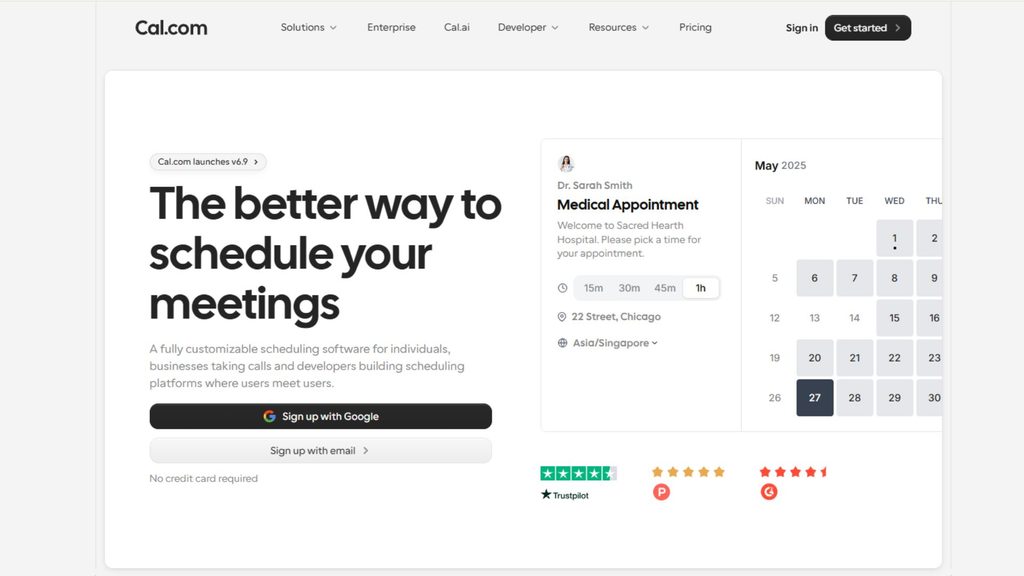
| Free option: Yes, with unlimited event types, calendars, workflows, and Stripe payments. Paid from: ~$12/user/month annually for Teams and ~$28/user/month annually for Organizations. CRM: Native HubSpot and Salesforce apps. Routing: Round robin on Teams; attribute-based routing and routing forms require Teams or above. |
| AXIS Verdict: Our best overall Calendly alternative for teams that value flexibility and an open API. The Organizations plan makes more sense for businesses that need SSO, attribute routing, or a BAA. Choose it if you want flexible, developer-friendly scheduling with native CRM connectivity. Skip it if you want a polished, zero-configuration experience. |
2. HubSpot Meetings (Best for HubSpot CRM)
HubSpot Meetings is a particularly practical Calendly alternative for small business teams already using HubSpot. No separate scheduling platform to maintain, and bookings can automatically appear on contact timelines and respect existing ownership.
That makes it a strong choice if your team wants free scheduling without adding another system to its stack.

| Free option: Yes, with any HubSpot account. Paid from: Free; advanced routing requires a paid Sales Hub seat. CRM: Native HubSpot. Routing: Round-robin on Sales Hub; advanced queues on Sales Hub Professional. |
| AXIS Verdict: One of the easiest ways to replace Calendly when HubSpot is already at the center of your sales process. Consider OnceHub or Chili Piper when your routing requirements become more complex. Choose it if HubSpot is already your CRM. Skip it if you need Salesforce-based routing or advanced scheduling outside HubSpot. |
3. Chili Piper (Best for Advanced B2B Routing)
Chili Piper is built for revenue teams that need scheduling to happen immediately after a lead qualifies. Instead of sending prospects through a separate booking journey, teams can use qualification and routing rules to connect them with the right representative.
Chili Piper restructured its pricing in 2026. Routing & Scheduling starts at $1,250/month when billed annually, with 15 seats included. Additional seats cost about $45 each.
This makes it one of the less affordable Calendly alternatives, but the price can make sense for high-volume B2B teams where faster lead response directly affects pipeline.
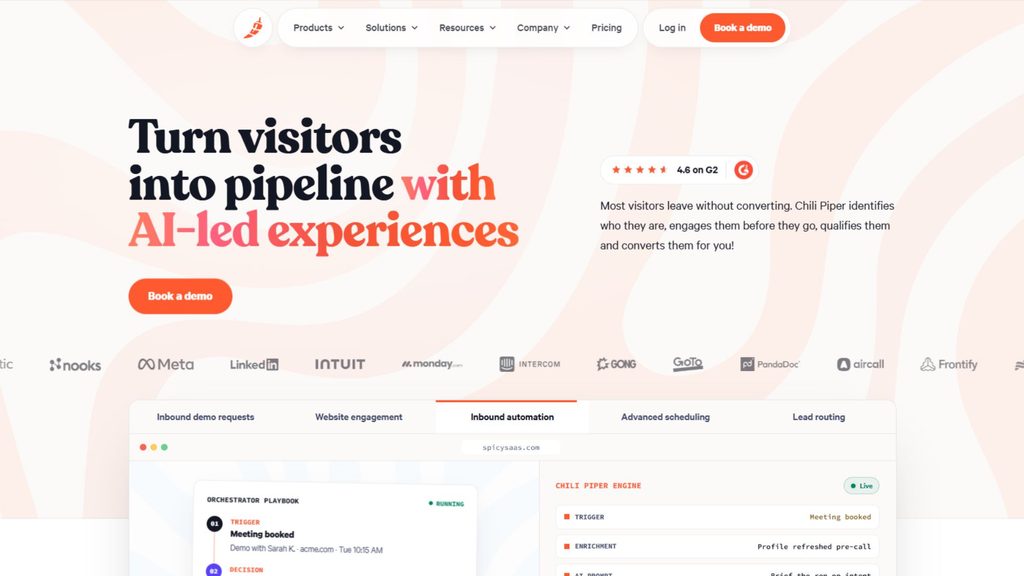
| Free option: No. Paid from: $15,000/year for Routing & Scheduling, with 15 seats included. CRM: Salesforce and HubSpot. Routing: Advanced qualification, territory, and account routing. |
| AXIS Verdict: A powerful Calendly replacement for sophisticated B2B routing, but its price floor makes it excessive for teams with straightforward scheduling needs. Choose it if inbound routing speed matters to revenue. Skip it if you only need basic scheduling. |
4. OnceHub (Best for CRM-Owner Routing)
OnceHub stands out among top Calendly alternatives because it can route a booking to the person who already owns that contact in the CRM. It also supports round robin and priority-based distribution, giving sales teams more control than simple availability-based scheduling.
A Security and Compliance add-on costing $5–6/seat/month adds SSO, SCIM, and a HIPAA BAA to paid plans.
| Free option: Yes, with a Basic plan. Paid from: $12/seat/month for Schedule and $23/seat/month for Route. CRM: Salesforce and HubSpot. Routing: CRM-owner routing, round robin, and routing forms on Route. |
| AXIS Verdict: A strong team-ready Calendly alternative for businesses where CRM ownership should determine who receives a meeting. Choose it if you need CRM-owner routing without moving to Chili Piper’s price range. Skip it if you just need a simple booking link. |
5. Microsoft Bookings (Best for Microsoft 365)
If your business already pays for Microsoft 365, Microsoft Bookings is one of the first Calendly alternatives to consider before buying another scheduling platform. It connects with Outlook and Teams and does not require a separate scheduling subscription.
Its biggest advantage is also its biggest limitation: it is designed for straightforward appointment scheduling rather than sophisticated sales routing or CRM-driven workflows.

| Free option: Included with eligible Microsoft 365 plans, including Business Basic through Premium and Enterprise plans such as E3/E5. CRM: Limited. Routing: Basic staff assignment. |
| AXIS Verdict: A sensible free Calendly alternative for Microsoft 365 users with basic scheduling needs. There is little reason to pay for another tool until your workflow requires more advanced capabilities. Choose it if your team already runs on Microsoft 365. Skip it if you need advanced lead routing or deeper CRM automation. |
6. Google Appointment Schedules (Best for Google Workspace)
Google Appointment Schedules is another option worth considering if you already use Google Workspace and need free scheduling software for simple one-to-one meetings. It works directly through Google Calendar, so it requires little setup or maintenance.
Multiple booking pages and Stripe payments require eligible paid plans such as Business Standard, Business Plus, Enterprise, Google One Premium, or Workspace Individual.

| Free option: One booking page on personal Google accounts and Business Starter. CRM: None. Routing: None. |
| AXIS Verdict: A practical free Calendly alternative for straightforward Google Workspace scheduling. It becomes less suitable once your business needs routing or CRM-connected workflows. Choose it if you need simple scheduling inside Google Calendar. Skip it if you need CRM logging, team routing, or advanced automation. |
7. Acuity Scheduling (Best for Service Businesses)
Acuity Scheduling is a better fit than many alternatives like Calendly when appointments are the business, not just part of the sales process. It supports intake forms, deposits, packages, and multi-staff scheduling.
Acuity also offers a BAA through its Premium plan, which costs about $49/month annually. Unlike many per-seat scheduling platforms, its plans use flat pricing.
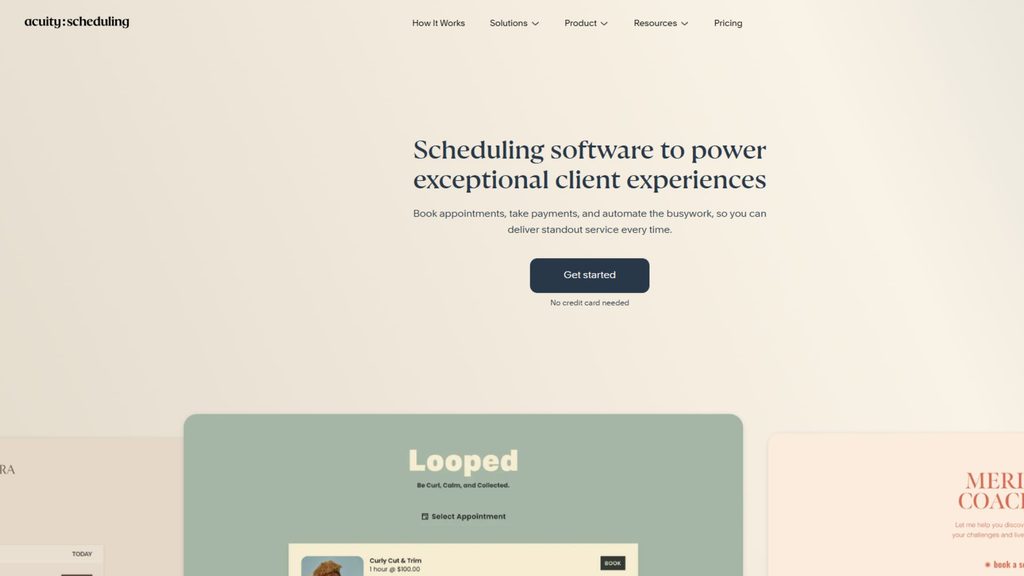
| Free option: No, but a 7-day trial is available. Paid from: $16/month annually for Starter. CRM: Zapier/API. Routing: Basic. |
| AXIS Verdict: One of the strongest calendly alternatives, but not necessarily better for service businesses; Acuity remains a strong choice when payments, packages, intake, and appointments matter more than sales routing. Choose it if you run a service business or paid-appointment operation. Skip it if your sales team needs advanced lead routing. |
8. YouCanBookMe (Best for Custom Booking Pages)
YouCanBookMe is a solid Calendly alternative for small business teams that care about how their booking page looks and works. Its customization options make it easier to create a branded scheduling experience, while native HubSpot integration keeps it useful for teams already working in that CRM.
Round robin and API access require the Team plan, which costs about $16.20/member/month annually. Routing is based on rotation rather than CRM ownership.

| Free option: Yes. Paid from: ~$8/member/month annually. CRM: Native HubSpot; Salesforce and Pipedrive through Zapier. Routing: Round-robin on Team. |
| AXIS Verdict: A solid Calendly alternative for branded, client-facing scheduling. Teams that need CRM-owner routing should look at OnceHub instead. Choose it if you want a highly customizable booking page. Skip it if you need CRM-aware routing. |
9. TidyCal (Best Budget Alternative)
TidyCal is one of the most budget-friendly Calendly alternatives if keeping recurring software costs low is your priority. Its free plan is genuinely useful, while the lifetime option provides an unusually low-cost way to access paid scheduling features.
However, the newer Agency Lifetime license has tighter limits. Licenses purchased from September 1, 2026, are capped at four team members, 10 calendars, and 10 SMS segments per month, with no custom domain. Earlier licenses retain higher limits.
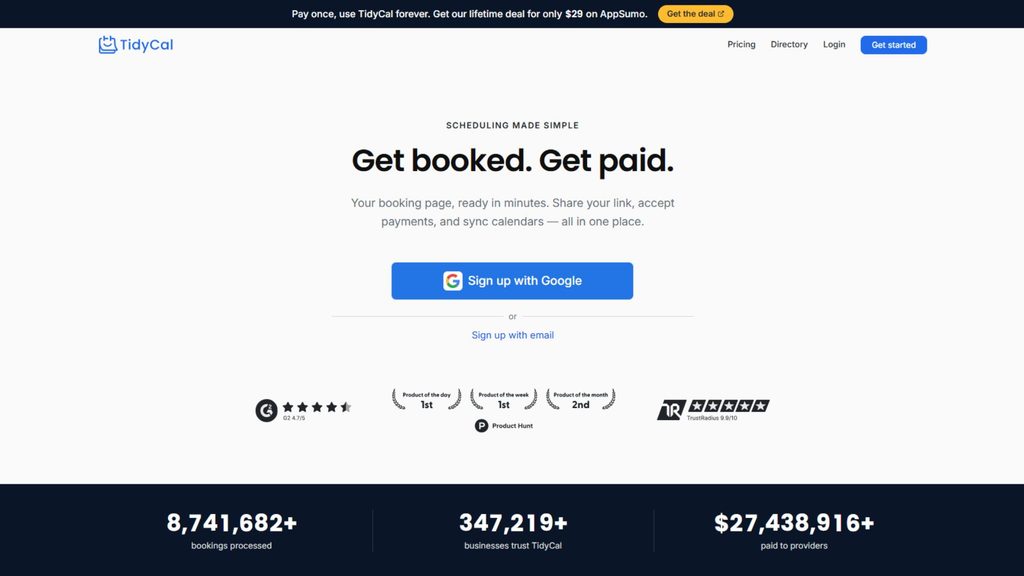
| Free option: Yes. Paid from: $29 one-time for Individual Lifetime. CRM: Limited. Routing: Round robin on Pro or Agency Lifetime. |
| AXIS Verdict: Hard to beat as a budget-friendly Calendly alternative for solo users. Check the purchase-date limits before choosing Agency Lifetime for a team. Choose it if the free plan meets your needs or you want a one-time purchase. Skip it if you need advanced CRM or team routing. |
10. Doodle (Best for Group Scheduling)
Doodle takes a different approach from most Calendly alternatives. Instead of primarily giving each person a booking page, it makes it easy to find a time that works for a group. Attendees do not need a Doodle account to participate.
Its Team plan costs $8.95/user/month annually, with a two-seat minimum. Older articles list $6.95 pricing, which is outdated.
| Free option: Yes, ad-supported. Paid from: $11/user/month annually for Pro. CRM: Limited. Routing: Group polls rather than lead routing. |
| AXIS Verdict: Keep Doodle in mind for group coordination, but choose Calendly or Cal.com for a more complete scheduling workflow. Choose it: if coordinating group availability is your main challenge. Skip it: if you need CRM logging or automated sales routing. |
11. SavvyCal (Best Client-Facing Booking Experience)
SavvyCal focuses heavily on making scheduling easier for the person booking the meeting. Its calendar-overlay experience lets prospects see their own availability alongside yours, making it easier to find a suitable time without switching between calendars.
That makes it a compelling replacement for Calendly when the booking experience itself is a priority. However, it lacks native CRM-owner routing.

| Free option: No standing free plan, but a 30-day money-back guarantee is available. Paid from: $10/user/month annually for Basic. CRM: Zapier/API. Routing: Round robin and collective scheduling. |
| AXIS Verdict: One of the better choices when the booking experience matters most. For complex routing, OnceHub or Chili Piper is a stronger fit. Choose it: if you want a smoother client-facing scheduling experience. Skip it: if advanced CRM routing matters more. |
Cal.com vs Cal.diy
Cal.com moved its production code to closed source in April 2026. Cal. diy is the separate MIT-licensed community edition, confirmed via its official GitHub README to exclude Teams, Organizations, Insights, Workflows, and SSO/SAML entirely, not as a “self-managed” option. Cal. diy has no hosted version; you run it yourself.
| Feature | Cal.com | Cal.diy |
| Hosted | Yes | No, self-hosted only |
| Open source | No (production code closed) | Yes, MIT |
| Teams/Organizations | Yes | Not included |
| Workflows | Yes | Not included |
| SSO/SAML | Yes (Organizations+) | Not included |
| Recommended use | Managed team scheduling | Personal/non-production unless you can operate the infrastructure |
Self-hosting is free to license but not free to run. Factor in server, database, backup, and security-patch time before assuming it’s cheaper than a hosted plan.
Pricing, Features, CRM, and Security Comparison
| Tool | Entry paid plan | CRM/routing tier | SSO | BAA |
| Calendly | Standard $10/seat | HubSpot Standard+, Salesforce Teams+ | Add-on, Teams+ | Not offered |
| Cal.com | Teams ~$12/user | Organizations for SSO/attribute routing | Organizations | Organizations (15+) or Enterprise; $300/mo add-on otherwise |
| HubSpot Meetings | Free tool | Sales Hub Professional | HubSpot Enterprise | Via HubSpot |
| Chili Piper | $15,000/yr | Included | Enterprise | Could not verify |
| OnceHub | Schedule $12/seat | Route $23/seat | Any paid + add-on | Any paid plan + add-on |
| Microsoft Bookings | Included in M365 | Limited | Via M365 | Via M365 BAA |
| Google Appt Schedules | Included in Workspace | None | Via Workspace | Via Workspace BAA |
| Acuity | Starter $16/mo | Zapier/API | Enterprise | Premium |
| YouCanBookMe | ~$8/member | Team ~$16.20/member | Higher tiers | Could not verify |
| TidyCal | $29 one-time | Limited | No | No |
| Doodle | Pro $11/user | Limited | Enterprise | Could not verify |
| SavvyCal | Basic $10/user | Zapier/API | Higher tiers | Could not verify |
Scheduling features worth flagging: Calendly includes Meeting Polls free on every plan, including Free (40 slots, 40 participants), correcting the common assumption that group polling is paid-only. Doodle remains the stronger choice for larger, account-free group polls. Cal.com’s routing forms and attribute routing require Teams or above, not the free plan.
What Happens in Your CRM After Someone Books?
Most comparisons stop at the booking page. What happens next determines reporting accuracy.
- Contact creation and matching: Verify whether a booking creates a duplicate or matches an existing record by email, phone, or CRM ID.
- Existing ownership vs. new distribution: For an existing contact, confirm the tool keeps the current owner rather than round-robinning to someone new; this is what CRM-owner routing (OnceHub Route, Chili Piper) is built for, distinct from attribute routing based on form answers or territory.
- Activity logging: Confirm meetings create timeline entries, not just calendar events.
- Deal association: Don’t assume a booking links to the right deal or opportunity; test it.
- Field mapping and UTMs: Hidden fields and campaign data are where attribution quietly breaks.
- Workflow enrollment: Confirm a booking can trigger sequences or status changes.
- Cancellation and rescheduling: Verify CRM records and automation states stay accurate through changes, not just the calendar event.
Security, Compliance, and Total Cost of Ownership
Enterprise governance is almost always gated to a top tier: Calendly’s SSO is a paid Teams add-on or included on Enterprise (but no BAA anywhere); Cal.com gates SSO and BAA to Organizations; OnceHub’s add-on works on any paid plan. Verify each claim in the vendor’s own trust center, not a comparison blog.
Subscription price is only part of the cost. Add any required CRM seat (like Sales Hub), implementation, migration, automation rebuilding, and training. A self-hosted Cal. diy instance looks free on licensing and shifts the cost to engineering time, so price it on total effort, not server cost alone.
What Actually Breaks When You Switch From Calendly?
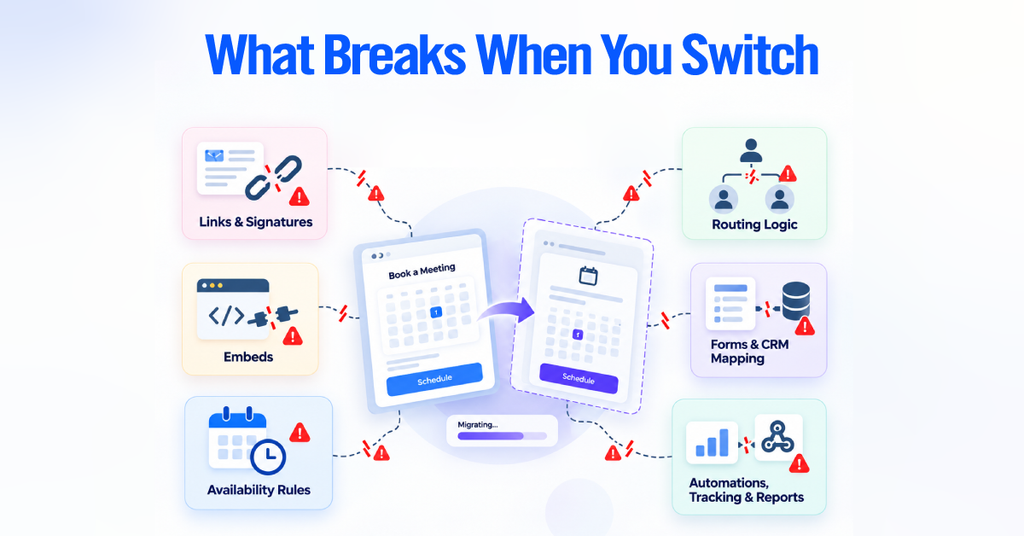
Calendly URLs aren’t portable, so plan for:
- Existing booking links in signatures, landing pages, sequences, and CRM templates
- Website embeds (inline, popup, button-triggered)
- Availability rules (hours, buffers, notice, holidays, time zones)
- Round-robin and CRM ownership logic
- Qualification forms and conditional logic
- CRM field mapping across contacts, deals, and custom properties
- Webhooks and Zapier/Make automations
- UTM and attribution tracking
- Reporting dashboards that depend on Calendly event data
Migrating From Calendly With Minimal Disruption
- Inventory every Calendly event type: duration, host, questions, confirmations.
- Document availability rules and routing logic in full.
- Rebuild event types and reconnect calendars in the new platform.
- Rebuild CRM integrations, checking contact matching, ownership, and field mapping.
- Recreate every webhook and Zapier/Make automation and confirm it fires.
- Replace website embeds and every booking link across signatures, CRM templates, and ads.
- Run end-to-end test bookings: new lead, existing lead, reschedule, cancellation, different time zone and owner.
- Run both systems in parallel until you validate every workflow, then cancel Calendly.
Existing calendar events generally survive a switch, but cancellation links, reminders, and CRM automation tied to Calendly may not. Validate active future bookings before canceling.
When Should You Stay With Calendly?
- Your current workflow already works, and migration would cost more than it saves.
- You mainly need standard scheduling, which Calendly handles well.
- Calendly already integrates cleanly with your CRM and automations.
- Your team is trained, and re-training carries real cost.
- You have hundreds of existing links and automations to replace.
The one hard exception: a signed BAA for PHI, which Calendly cannot provide on any plan.
Best Alternative by Business Type

- Solo consultants: TidyCal for price, SavvyCal for polish, Cal.com for flexibility.
- Agencies: SavvyCal or Cal.com depending on whether client UX or API access matters more.
- HubSpot sales teams: HubSpot Meetings, escalating to OnceHub as routing grows.
- Salesforce teams: Chili Piper for depth, OnceHub for value.
- Enterprise B2B: Compare Chili Piper, Calendly Enterprise, Cal.com, and OnceHub on governance and routing; note Calendly Enterprise still has no BAA.
- Service businesses: Acuity, with Setmore as a lighter free option.
- Microsoft/Google shops: Use what’s already included.
- Developers: Cal.com.
- Self-hosted: Cal.diy, with the infrastructure caveat in mind.
There is no single best Calendly alternative for every business. The right choice depends on what you need after someone books.
- Cal.com is the best overall choice for flexibility and an open API.
- HubSpot Meetings is the natural choice for HubSpot users.
- Chili Piper is built for advanced B2B routing, while OnceHub offers similar CRM-owner routing at a lower cost.
- Microsoft Bookings and Google Appointment Schedules make sense if you already use their respective platforms.
- Acuity Scheduling is the stronger choice for service and appointment-based businesses.
- TidyCal works well for budget-conscious users, while Doodle is best for group scheduling.
- SavvyCal stands out for its client-facing booking experience.
- YouCanBookMe is a strong choice for highly customizable booking pages.
Before you replace Calendly, look beyond the booking link. Check how each tool handles your CRM, routing, calendars, integrations, and team workflows. Then compare the actual plan and total cost, including any CRM seats or add-ons you will need.
The best scheduling software is not the one with the longest feature list. It is the one that fits the way your business actually works.