AI Summary




TL;DR
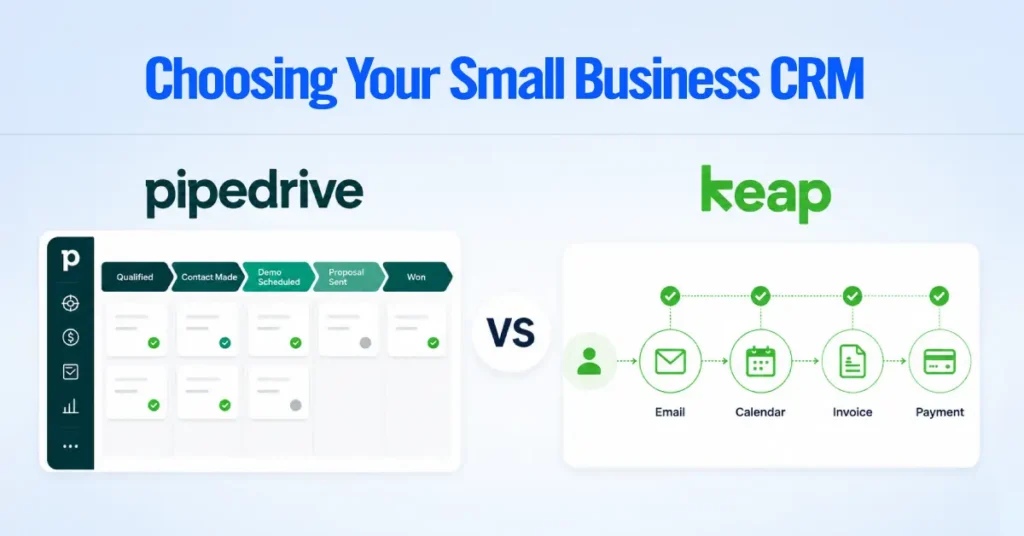
- Pipedrive is the best overall CRM for most small- to mid-sized service businesses that need pipeline visibility and follow-up discipline.
- HubSpot is the stronger pick when marketing, forms, email nurturing, and CRM need to live in one system.
- Zoho CRM is the go-to budget option with solid customization for cost-conscious teams.
- Capsule CRM works well for solo providers and very small relationship-based firms.
- Salesforce only makes sense for larger service companies with genuine operational complexity and dedicated admin support.
- Jobber, Housecall Pro, and ServiceTitan are not traditional CRMs. They are field service platforms, and home service businesses should evaluate whether they need scheduling and dispatch before defaulting to a CRM.
- Fit matters more than feature count. The right CRM is the one that mirrors how your business actually gets leads, follows up, closes deals, and keeps clients.
Most service businesses don’t lose leads because they lack software. They lose them because their sales process is disorganized.
New inquiries come from website forms, phone calls, referrals, emails, and social media, but follow-ups end up scattered across inboxes, spreadsheets, calendars, and other tools.
This leads to missed follow-ups, delayed responses, forgotten estimates, and lost sales. According to Salesforce’s State of Sales report, sales reps spend only 28% of their time actually selling.
The rest goes to admin tasks, data entry, and chasing internal information. For service businesses without a dedicated sales ops team, that number is often worse.
In our CRM consulting work, we see the same pattern. Most businesses don’t need the most advanced CRM; they need one that fits how they sell.
For example, a professional services firm may need proposal tracking, a marketing agency may need CRM with marketing automation, and a home service business may prioritize scheduling and dispatch.
Quick Answer: Best CRM for Service Businesses
| Use Case | Best CRM Option | Why |
| Best overall for service businesses | Pipedrive | Simple pipeline, strong follow-up tracking, high team adoption |
| Best for marketing-led service businesses | HubSpot | CRM, forms, landing pages, email nurturing in one system |
| Best budget CRM | Zoho CRM | Affordable, customizable, broad app ecosystem |
| Best for solo providers | Capsule CRM or HubSpot Free | Simple contact and relationship management |
| Best for home services | Jobber, Housecall Pro, or ServiceTitan | Scheduling, dispatch, work orders, and field team management |
| Best for larger service companies | Salesforce | Advanced customization, reporting, and enterprise workflows |
What Is a CRM for Service Businesses?
A CRM (Customer Relationship Management) platform for service businesses is software that tracks leads, manages client relationships, organizes follow-ups, and gives visibility into your sales pipeline.
It is the system that sits between “a lead came in” and “we closed the deal and retained the client.”
How Service CRM Is Different From Product-Based CRM

A service CRM focuses on managing client relationships, appointments, and ongoing service delivery, while a product-based CRM focuses on managing product sales, inventory, and transactional customer journeys. That fundamental difference changes what a CRM needs to do.
The sales cycle in a service business is usually more relationship-driven and less transactional. Your CRM needs to reflect that.
| What Service Businesses Usually Need From a CRM Across the service businesses we work with, these needs come up consistently: 1. Lead capture from website forms, phone calls, referrals, and directories 2. Lead capture from website forms, phone calls, referrals, and directories 3. Pipeline management with clear stages that match how the business actually sells 4. Contact history so anyone on the team can see the full client picture 5. Follow-up reminders that prevent warm leads from going cold 6. Proposal and estimate tracking so open quotes do not slip through the cracks 7. Email and calendar integration with Gmail, Outlook, or Google Calendar 8. Task ownership so every deal has a clear next step and a responsible person 9. Reporting that shows pipeline value, conversion rates, and activity levels 10. Client retention workflows for renewals, check-ins, and reactivation |
Best CRM Options by Service Business Type
Below, we break down exactly which CRM fits which type of service business, and when you need field service software instead, without overspending or overbuilding.
Consultants and Professional Services Firms
In our experience, professional service businesses rarely need an enterprise CRM. They need a simple system that the team will actually update after every call and meeting. The CRM that gets used daily beats the one with 200 features that nobody opens.
Our recommendation: Pipedrive for firms of roughly 2 to 15 people, HubSpot when content marketing and email nurturing sit alongside the pipeline, and something lighter like Salesflare or Copper for solo practitioners.
Advisory work also carries its own quirks that a generic pipeline handles badly, including retainer renewals, business development activity that runs separately from active deals, and six-month cycles with several stakeholders on one engagement. We break all of that down, with pricing, in our full guide to the best CRM for consultants.
Best CRM for Marketing Agencies
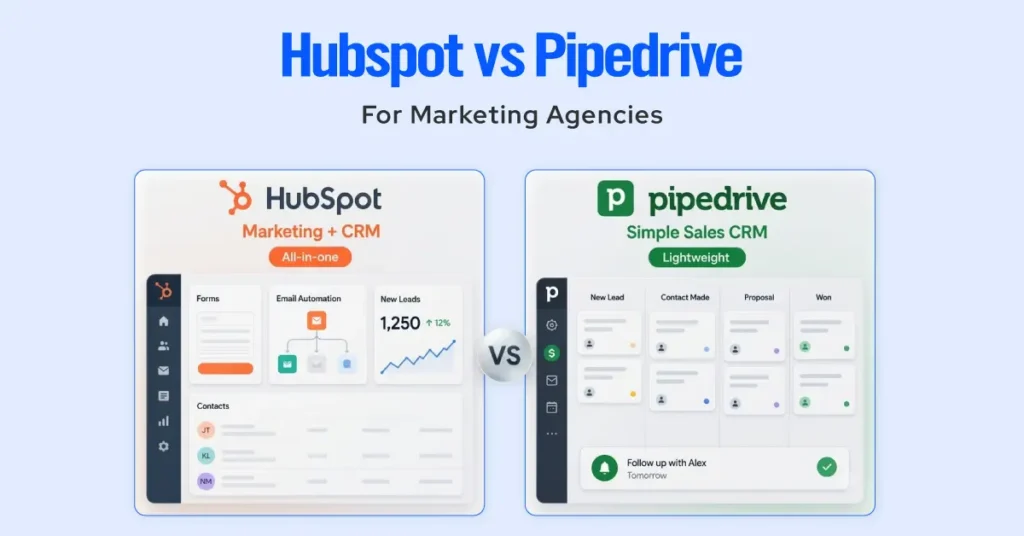
One pattern we see regularly is agencies overbuilding their CRM with too many custom fields, lifecycle stages, and automation rules.
The better setup is almost always a simple pipeline with clear follow-up rules and deal stages that match how the agency actually wins business.
Our recommendation: HubSpot or Pipedrive.
Agencies juggle inbound leads, strategy calls, audits, proposals, retainer agreements, onboarding, and renewal conversations. The sales process often starts with content or a referral and moves through multiple touchpoints before the client signs.
HubSpot is the stronger choice when the agency wants marketing automation, landing pages, forms, email workflows, and CRM in a single platform. Having lead source attribution and nurturing in the same system as the deal pipeline saves time and removes data gaps.
Pipedrive works better when the agency wants a lightweight sales pipeline without the overhead of a full marketing platform. If inbound marketing is handled elsewhere and the team just needs clean deal tracking and follow-up management, Pipedrive keeps things simple.
Best CRM for Home Service Businesses
Home service businesses include plumbing, HVAC, cleaning, landscaping, roofing, remodeling, pest control, and electrical services. This category is where the CRM vs. field service software question matters most.
Our recommendation: Jobber, Housecall Pro, or ServiceTitan, depending on the primary problem.
If the business primarily needs scheduling, dispatch, technician management, work orders, customer notifications, and field payment collection, a field service platform like Jobber, Housecall Pro, or ServiceTitan is usually the right tool. These are purpose-built for operations, not sales pipeline management.
| We recommend that home service companies answer one question before choosing: Is your biggest revenue leak in operations (missed jobs, scheduling chaos, dispatch gaps) or in sales (missed follow-ups, lost estimates, untracked leads)? That answer drives the right choice of tool. |
Best CRM for B2B Service Companies
B2B service companies typically deal with longer sales cycles, multiple stakeholders, proposal stages, recurring contracts, and ongoing account management. The CRM needs to support these complexities without burying the team in admin work.
| Our recommendation for B2B Service Companies: Pipedrive, HubSpot, Zoho CRM, or Salesforce. 1. Pipedrive works well for small- to mid-sized B2B service teams that need pipeline clarity and activity tracking without enterprise overhead. 2. HubSpot works well when marketing and sales need to operate from the same data, especially for B2B firms that generate leads through content, webinars, or email campaigns. 3. Zoho CRM is a strong option for budget-conscious B2B teams that still need customization, workflow rules, and multi-module flexibility. 4. Salesforce makes sense for larger B2B service organizations with complex reporting needs, multiple sales teams, territory management, or enterprise integration requirements. |
Best CRM for Small Service Businesses
The real priority for small service businesses is adoption. The CRM that the owner and team actually use every day will outperform a powerful system that sits idle.
Small service businesses do not need the complexity of enterprise systems. They need one clear pipeline, a clean contact list, follow-up reminders, and simple reporting. The CRM should take less than a week to set up and less than five minutes a day to update.
We strongly advise against buying more CRM than you can use. A small business that pays for Salesforce but only uses it as a contact list has wasted money and created a tool the team avoids. Start with a CRM that fits your current team size and sales volume. You can always upgrade later.
Our recommendation: Pipedrive or Capsule CRM.
CRM vs Field Service Software: Know the Difference Before You Choose
CRM and field service software solve different business problems, even though they often overlap. Understanding where each one excels will help you choose the right tool or decide whether you need both.
| Choose a CRM If You Need Lead, Pipeline, and Follow-Up Management A CRM is the right choice when the business needs to: 1. Track and qualify inbound leads 2. Manage a visual sales pipeline with deal stages 3. Set follow-up reminders and activity tasks 4. Track consultation and discovery call outcomes 5. Monitor proposal and estimate status 6. Maintain full client communication history 7. Forecast revenue based on pipeline value 8. Track referral sources and partner relationships Best options: Pipedrive, HubSpot, Zoho CRM, Salesforce, Capsule CRM. | Choose Field Service Software If You Need Scheduling, Dispatch, and Job Tracking Field service software is the right choice when the business needs to: 1. Schedule and dispatch technicians or crews 2. Manage route planning and job assignments 3. Create and track work orders 4. Monitor job completion in real time 5. Send automated customer notifications 6. Collect payments and signatures in the field 7. Manage recurring service appointments 8. Track technician performance and time Best options: Jobber, Housecall Pro, ServiceTitan. |
When a Service Business Needs Both
Some service businesses genuinely need both systems. This is common in companies that have a distinct sales process for winning new work and a separate operations process for delivering it.
A remodeling company, for example, might use Pipedrive or HubSpot to manage leads, consultations, and project estimates on the sales side, while using a project management or field service tool to schedule crews, track progress, and handle payments.
A commercial HVAC company might use a CRM for B2B sales opportunities and account management, while running ServiceTitan or Jobber for dispatch, service tickets, and technician scheduling.
| When both (CRM and Field Service Software) systems are needed, the key is making sure they communicate. Look for integrations or middleware (like Zapier or Make) that transfer data between your CRM and your field service platform, so the team doesn’t enter information twice. |
How We Recommend Choosing the Right CRM
Use these key factors to evaluate your options and choose a CRM that supports your business today and as it grows.
- Start With Your Sales Process, Not the Software
The most common mistake is browsing CRM feature lists before understanding your own sales process. Every CRM decision should start with a clear picture of how the business actually wins clients.
| Ask these questions first: 1. Do leads come from referrals, website forms, phone calls, ads, or directories? 2. Is the sales cycle short (same-day booking) or long (weeks of follow-up)? 3. Does the process involve consultations, estimates, proposals, or demos? 4. Who follows up, and how do they know when to do it? 5. Where do deals stall or disappear? The answers will tell you which CRM features actually matter for your business. |
- Match the CRM to Your Team Size
As your team grows, your CRM requirements become more sophisticated. Solo service providers usually benefit from a simple, easy-to-manage system, while small teams need better collaboration and follow-up tracking.
Mid-sized businesses often require automation, reporting, and deeper integrations to support growth, and larger organizations typically need enterprise-grade customization, advanced analytics, and support for multiple sales processes.
- Check the Integrations You Actually Need
Do not get distracted by a CRM’s full integration marketplace. Focus on the five to eight tools your team uses daily:
- Gmail or Outlook
- Google Calendar or Outlook Calendar
- QuickBooks or Xero
- Website forms or landing page builders
- Calendly or scheduling tools
- Call tracking systems
- Proposal or estimate tools (PandaDoc, Quotient, etc.)
- Email marketing platforms
If a CRM does not integrate cleanly with the tools your business already uses, adoption will suffer.
- Think About Follow-Up, Proposals, and Client Retention
Most service businesses do not lose revenue due to a lack of CRM features. They lose revenue because follow-up is inconsistent.
The CRM you choose should make it easy to:
- Follow up within hours of an inquiry, not days
- Track every open estimate and proposal with clear next steps
- Set reminders before contracts or retainers expire
- Reactivate leads that went quiet three or six months ago
- Trigger review requests and referral asks at the right time
| According to research from Harvard Business Review, companies that respond to a lead within an hour are nearly seven times more likely to qualify that lead than companies that wait just one hour longer, and more than 60 times more likely than those that wait a full day. For service businesses without a CRM enforcing follow-up speed, this is where the most revenue is lost. |
- Avoid Buying More CRM Than You Can Use
A CRM that your team uses every day at 80% of its capacity will always outperform a CRM that your team uses once a week at 10% of its capacity. The right CRM should be:
- Easy to update after every call, meeting, or email
- Easy for the whole team to understand without weeks of training
- Connected to the daily workflow (email, calendar, phone)
- Useful for both the owner and the team
- Simple enough that maintaining it does not become a second job
6 CRM Features Service Businesses Actually Use
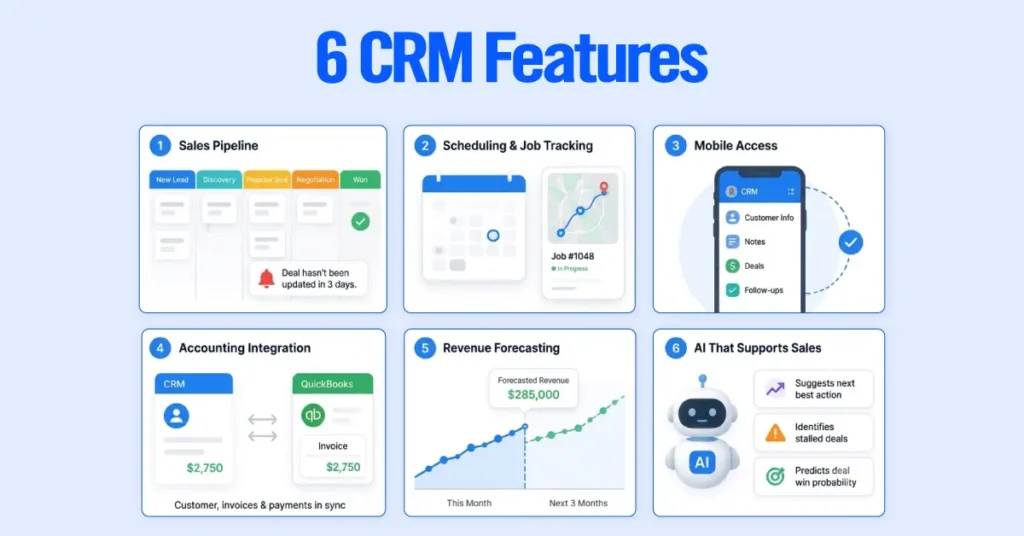
1. Sales Pipeline Management
A visual sales pipeline helps you track every opportunity from the first inquiry to a signed contract. Most service businesses only need a simple process with stages like New Lead, Discovery, Proposal Sent, Negotiation, and Won. More importantly, your CRM should alert you when a deal hasn’t been updated for several days, so promising opportunities don’t slip through the cracks.
2. Scheduling and Job Tracking
For businesses that send technicians or contractors into the field, scheduling is just as important as sales. Some CRMs offer basic appointment management, but businesses with multiple crews often benefit from dedicated field service software for dispatching, route planning, and job tracking. Choose a solution that matches how much of your day you spend managing fieldwork.
3. Mobile Access for Your Team
Your team shouldn’t have to wait until they’re back at the office to update customer information. A good CRM lets technicians and sales reps quickly access customer history, add notes, update deals, and schedule follow-ups directly from their phones. Fast, reliable mobile access keeps everyone working from the same information.
4. Accounting Integration
Manually copying customer details and invoices between systems wastes time and creates errors. Look for a CRM that integrates with your accounting software so customer records, estimates, invoices, and payment status stay synchronized. This reduces administrative work and keeps your sales and finance teams aligned.
5. Revenue Forecasting
Knowing what’s likely to close helps you plan staffing, cash flow, and future growth. A CRM with forecasting can estimate upcoming revenue based on active deals, while businesses with recurring clients can also track renewals alongside new opportunities for a clearer picture of future income.
6. AI That Supports Your Sales Process
Modern CRMs include AI features that can suggest follow-up actions, identify stalled deals, and estimate the likelihood of closing a sale.
These tools are most useful when your pipeline is organized and your team consistently updates customer information. They enhance good sales habits rather than replace them.
| Our Recommended CRM Shortlist for Service Businesses 1. Choose Pipedrive if your main problem is tracking deals, following up on proposals, and keeping your pipeline visible. 2. Choose HubSpot if you generate leads through your website, run email campaigns, and need marketing and sales data in one place. 3. Choose Zoho CRM if you need a customizable CRM at a lower price point and your team is comfortable with a bit more setup. 4. Choose Capsule if you are a solo provider or a very small team, and you just need clean contact management with a lightweight pipeline. 5. Choose field service software (Jobber, Housecall Pro, ServiceTitan) if scheduling technicians, dispatching crews, and tracking job completion matter more than managing a sales pipeline. 6. Choose Salesforce if you are a larger service organization with multiple teams, complex reporting requirements, and a dedicated admin to manage the system. |
CRM Comparison Table for Service Businesses
| CRM | Best For | Avoid If | Our Recommendation |
| Pipedrive | Sales pipeline and follow-up management | You need built-in marketing automation | Best overall for most small-to-mid service teams |
| HubSpot | Marketing-led service businesses | You want the lowest long-term cost | Best when marketing and sales need to share one system |
| Zoho CRM | Budget-conscious teams needing customization | You want the simplest out-of-the-box setup | Best budget-friendly CRM with room to grow |
| Capsule CRM | Solo providers and small relationship-based teams | You need deep automation or complex reporting | Best simple CRM for small providers |
| Salesforce | Larger service companies with complex operations | You are a small team without admin support | Best for complex teams with advanced reporting needs |
| Jobber / Housecall Pro / ServiceTitan | Home and field service operations | You mainly need a sales pipeline and lead management | Best for scheduling, dispatch, and job tracking |