AI Summary




TL;DR
- Pipedrive wins for sales-focused small teams that need a fast, visual pipeline without a steep learning curve.
- Keap wins for coaches, consultants, and service businesses that want CRM, email/SMS marketing, and payments in one contract.
- Pipedrive now runs four plans (Lite, Growth, Premium, Ultimate) starting at $14 per user per month, billed annually. We’ve updated pricing throughout this piece to reflect Pipedrive’s late 2025 plan rebrand.
- Keap has moved to a single “Complete Platform” plan at $249 to $299 per month for 2 users and 1,500 contacts, plus a mandatory one-time onboarding fee of $500 or more.
- Keap’s pricing grows with your contact list, not just your team, which is the single biggest budget risk we see clients walk into.
- Real user sentiment favors Pipedrive on ease of use and value for money, while Keap holds an edge on automation depth for complex customer journeys.
The Pipedrive vs Keap decision is less about which CRM has more features and more about which job you need it to do.
Pipedrive is a sales-first CRM built around visual pipelines, deal activity, follow-ups, and sales team adoption. On the other end, Keap is an automation-first platform that combines CRM, email marketing, forms, invoicing, payments, and customer follow-up into a single login. Once you understand that difference, the choice becomes much better.
We have implemented both platforms for small businesses. Below, we compare their current pricing, sales, and automation features, ease of use, and total cost to show exactly where each platform wins.
Pipedrive or Keap: Which One Is Better?
For most sales-led teams, Pipedrive is the stronger option. Its core CRM is priced by user rather than contact volume, and its pipeline is easier for representatives to manage consistently.
Keap is better suited to coaches, consultants, and service businesses that want deeper marketing automation and payment tools inside the same system.
Also, you need to be comfortable with a substantially higher starting cost, required implementation services, and pricing that increases as contacts are added.
| Customer sentiment should be considered, though it should not decide the comparison on its own. As of July 2026, Pipedrive holds a 4.5 out of 5 Trustpilot rating, while Keap holds a 1.1 out of 5 rating. Keap’s score is based on limited recent review activity, but recurring complaints around billing, cancellation, and support still deserve attention before signing an annual agreement. |
For Sales-Focused Small Businesses, Pipedrive Wins
- Your priority is moving deals through a clear sales pipeline.
- Your team focuses on prospecting, qualifying, and closing.
- Reps need a simple drag-and-drop Kanban interface.
- Fast adoption and minimal sales friction matter.
For All-in-One Marketing and CRM, Keap Wins
- Your business relies on automated lead nurturing.
- You need email sequences, appointments, invoicing, and payments in one platform.
- You run a coaching, consulting, or information-product business.
- You prefer an all-in-one system over connecting multiple tools.
Pipedrive and Keap: What Each Tool Actually Does

Both platforms started in very different places and have drifted toward each other over the past few years, but their core DNA still shows.
Pipedrive: Manages Sales Pipelines
- Tracks leads and deals through customizable pipeline stages.
- Helps sales reps plan follow-ups, calls, meetings, and next steps.
- Gives managers visibility into deal progress, activity, and revenue forecasts.
- Adds optional tools for lead generation, email marketing, and AI-assisted sales.
- Best for teams focused primarily on prospecting, opportunity management, and deal closing.
Pipedrive Pros and Cons
| Pros | Cons |
| The visual pipeline is easy to learn and requires little training. | Two-way email sync and automation require the Growth plan or higher. |
| Teams can quickly move from signup to a working sales process. | Marketing features are limited compared with dedicated automation platforms. |
| Pricing scales by user rather than contact volume. | Campaigns, LeadBooster, and Smart Docs may require separate add-ons. |
| Lite provides a usable entry-level CRM for solo founders. | Adding multiple paid extras can quickly reduce its affordability. |
| The 500+ app marketplace gives teams the flexibility to choose external tools. | Businesses with complex lead-nurturing needs may eventually outgrow it. |
Keap: Automates the Customer Journey
- Combines CRM, email marketing, appointments, invoicing, and payments.
- Automates lead nurturing, follow-ups, reminders, and customer communication.
- Helps businesses manage contacts from first inquiry through purchase and repeat engagement.
- Reduces the need to connect separate marketing, scheduling, and payment tools.
- Best for businesses that rely on automated campaigns and all-in-one customer management.
Keap Pros and Cons
| Pros | Cons |
| Advanced visual automation supports complex customer journeys. | Mandatory onboarding adds to the upfront cost. |
| Native invoicing, payments, and e-commerce reduce the need for separate tools. | Pricing increases as the contact database grows. |
| Dedicated customer success support helps teams manage setup and complexity. | Annual contracts may include a $299 early termination fee. |
| Strong fit for service businesses that want CRM, marketing, and payments on a single platform. | Billing and cancellation complaints contribute to weak Trustpilot sentiment. |
| More capable than Pipedrive for multi-step lead nurturing and behavioral automation. | The interface can feel complex for non-technical users. |
The 7 Differences That Actually Matter in 2026
Pipedrive and Keap both manage leads and customers, but they solve different problems. Here’s where we’ve seen deals actually go sideways after signup. Get these seven right, and the rest of the decision takes care of itself.
Pipedrive vs Keap at a Glance
| Category | Pipedrive | Keap |
| Entry price | $14/user/month (Lite, billed annually) | $249/month for 2 users, 1,500 contacts (billed annually) |
| Scaling model | Per-user seat pricing | Contact count plus per-seat add-ons |
| Ease of use | Live in days, minimal training needed | Steeper curve, weeks of ramp-up typical |
| Sales pipeline | Native, visual Kanban, core product strength | Functional deal stages, secondary to marketing tools |
| Marketing automation | Add-on (Campaigns), limited without upgrade | Native, deep visual campaign builder |
| AI features | AI Sales Assistant, smart email tools on Growth+ | AI Automation Assistant on newer plans |
| App ecosystem | 500+ native marketplace apps | Fewer native apps, strong native e-commerce, 5,000+ via Zapier |
| Best for | Outbound sales teams, agencies, and solopreneurs tracking deals | Coaches, consultants, service businesses needing marketing plus payments |
1. Pricing: Pipedrive Is Cheaper and Easier to Predict
Pipedrive charges per user across four plans starting from $14/user/month. Growth ($34/user/month) is the realistic starting point for teams that need email sync, workflow automation, sequences, forecasting, and meeting scheduling.
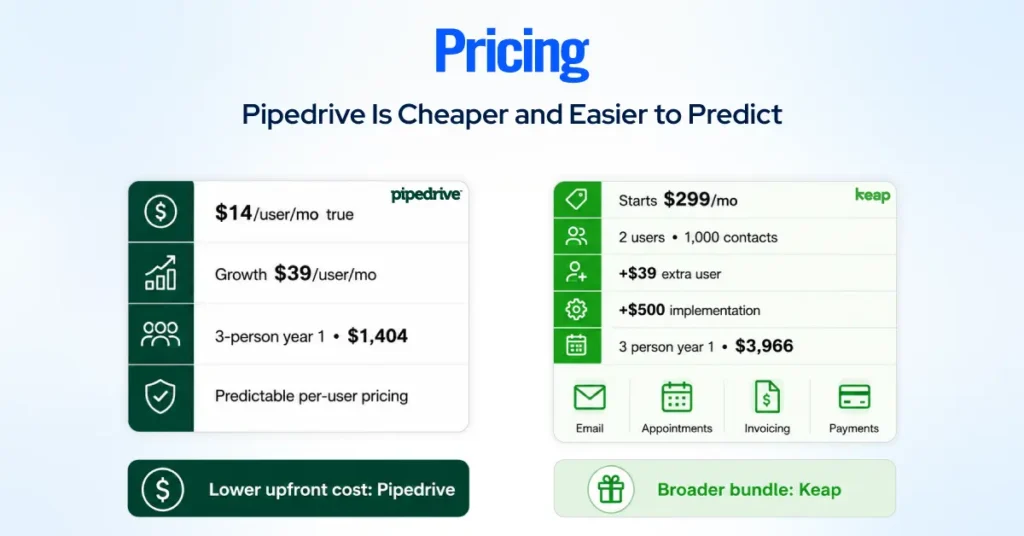
Keap starts at $299 per month, or $2,988 annually, for two users and 1,500 contacts. Extra users cost $39 per month, and pricing increases as the contact database grows.
Keap also requires a $500 implementation package for new customers.
For a three-person team billed annually:
- Pipedrive Growth: about $1,404 in year one
- Keap: about $3,956 in year one
Keap costs more, but it also includes tools such as email marketing, SMS, appointments, invoices, and payments that may require separate subscriptions with Pipedrive.
2. Setup: Pipedrive Gets Teams Working Faster
Pipedrive can be configured around a sales process without a mandatory onboarding package. Teams can import contacts, build a pipeline, connect email, and start logging deals quickly.
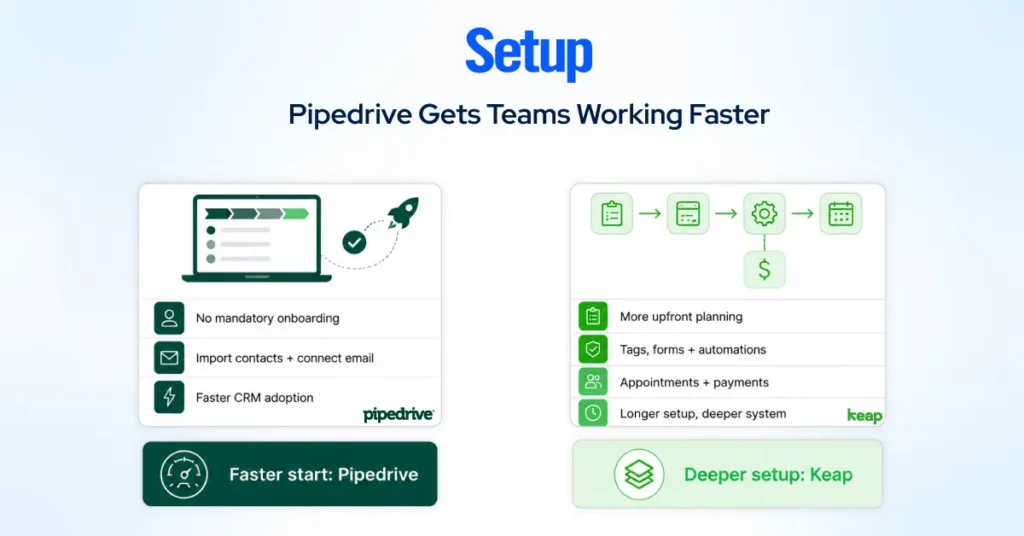
Keap requires more upfront planning because the platform covers much more than sales. Its implementation process helps businesses configure automations, tags, forms, appointments, payment triggers, and follow-up sequences.
The first Keap automations may launch within the first month, but fully configuring the platform takes more work than setting up a basic Pipedrive pipeline.
Choose Pipedrive for faster CRM adoption. Choose Keap when deeper automation justifies a longer setup.
3. Pipeline Management: Pipedrive Has the Clear Advantage
Pipedrive’s visual pipeline is the center of the product. Sales reps can:
- Drag deals between customizable stages
- See overdue activities and inactive deals
- Track deal values, close dates, and win probability
- Forecast revenue from active opportunities
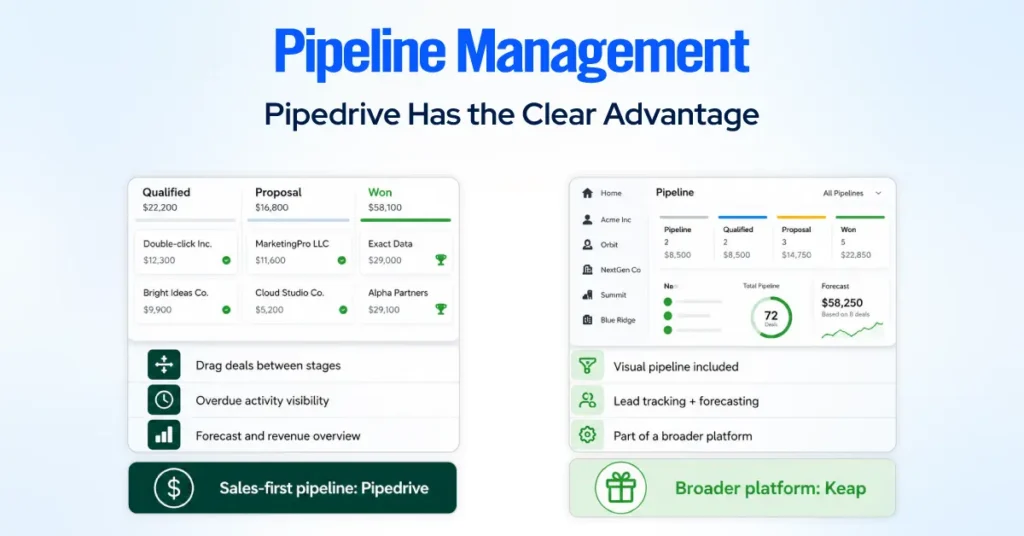
Keap also provides visual pipelines, lead scoring, forecasting, and custom stages. However, its pipeline is one part of a broader customer-management platform rather than the main product experience.
For teams that spend most of the day prospecting, qualifying, and closing, Pipedrive feels more focused and easier to navigate.
4. Automation: Sales Workflows vs Customer Journeys
Pipedrive automation focuses on helping sales reps follow up consistently. Its workflows and Sequences can assign activities, send emails, update deal fields, and guide reps through repeatable outreach processes.
Keap automation goes further across the customer lifecycle.
Its Automation Builder can react to:
- Form submission
- Tags and lead scores
- Appointments
- Purchases and payments
- Pipeline changes
- Email engagement
Those triggers can launch emails, texts, tasks, reminders, payment follow-ups, and internal notifications.
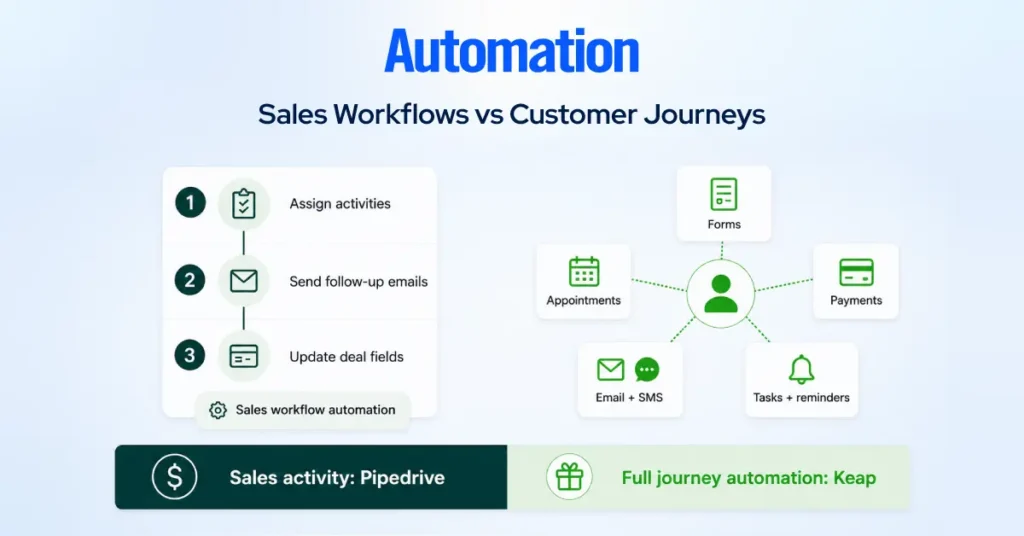
Pipedrive is better for automating sales activity. Keap is better for building multi-step journeys from lead capture through payment and retention.
5. Email and SMS: Keap Includes More Natively
Keap includes email broadcasts, newsletters, automated sequences, one-to-one texting, SMS campaigns, and a dedicated business phone line.
It allows a business to capture a lead, nurture the contact, schedule an appointment, send a quote, collect payment, and follow up without moving between several platforms.
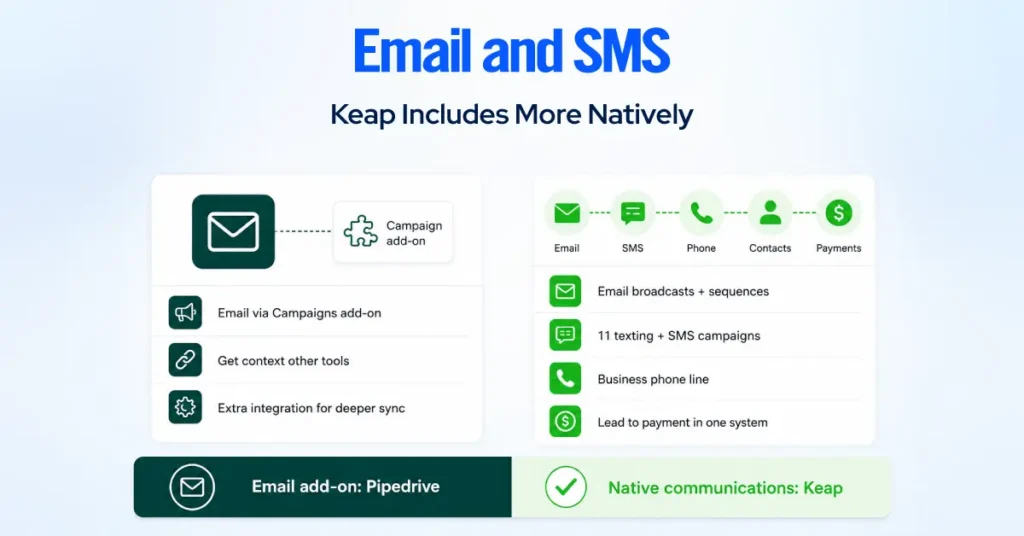
Pipedrive offers email marketing through its Campaigns add-on, starting at about $13 per month. It can also connect to platforms such as Mailchimp, although deeper engagement syncing may require an additional integration.
6. Integrations: Pipedrive Offers More Flexibility
Pipedrive has a marketplace of more than 500+ integrations covering calling, proposals, accounting, lead generation, customer support, marketing, and automation.
That makes it easier to build a best-of-breed technology stack around the CRM.
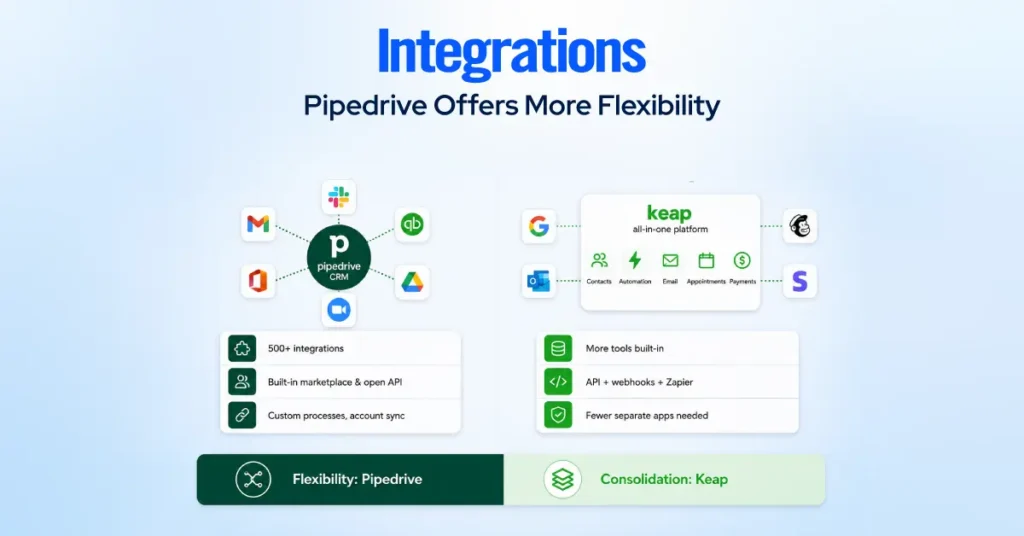
Keap offers fewer reasons to connect separate tools, since it already includes appointments, invoicing, payments, email, SMS, and automation. It also supports third-party apps through its marketplace, API, webhooks, and Zapier.
Pipedrive is better for businesses that want flexibility. Keap is better for businesses trying to consolidate their software stack.
7. Reviews: Pipedrive Has More Consistent Customer Sentiment
As of July 2026, Pipedrive holds a significantly stronger Trustpilot rating than Keap.
Many negative Keap reviews focus on:
- Billing disputes
- Price increases
- Cancellation requirements
- Difficulty reaching support
However, Keap performs better on product-focused platforms such as Capterra, where users often praise its depth of automation and all-in-one functionality.
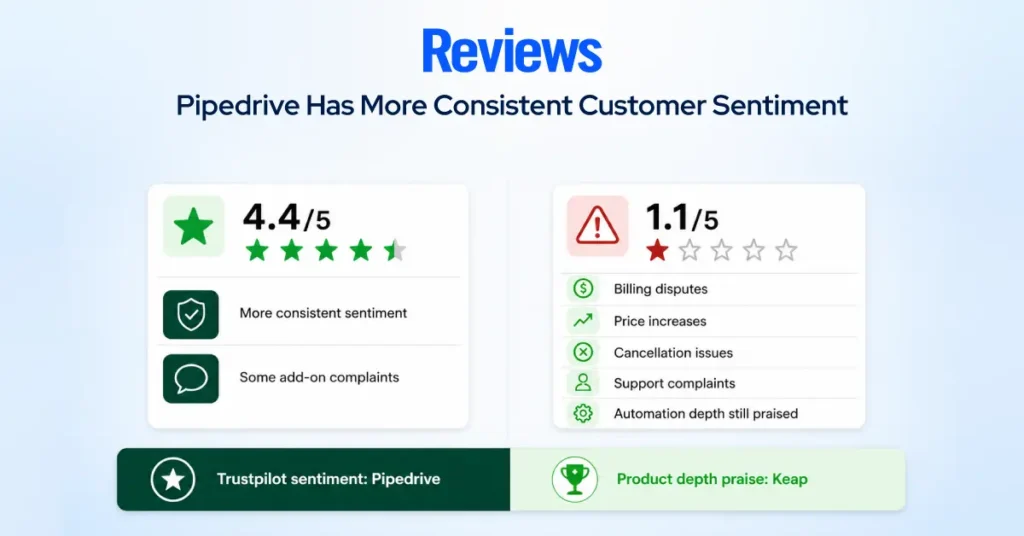
Keap’s software capabilities are well regarded by many customers, but its pricing, onboarding, billing, and cancellation experience create more risk.
Pipedrive receives some complaints about add-ons and plan changes, but its overall satisfaction ratings remain more consistent.
Which CRM Should You Choose?
| Choose Pipedrive when you need: 1. A clear visual sales pipeline 2. Faster rep adoption 3. Predictable per-user pricing 4. Strong deal and activity management 5. Freedom to choose separate marketing tools | Choose Keap when you need: 1. Advanced lead nurturing 2. Email and SMS in the same platform 3. Appointments, invoices, and payments 4. Behavior-based customer journeys 5. An all-in-one system for running a service business |
For most sales-focused small and midsized teams, Pipedrive is the simpler and more affordable option. Keap becomes the better choice when its built-in automation, communication, scheduling, and payment tools can replace several separate platforms.
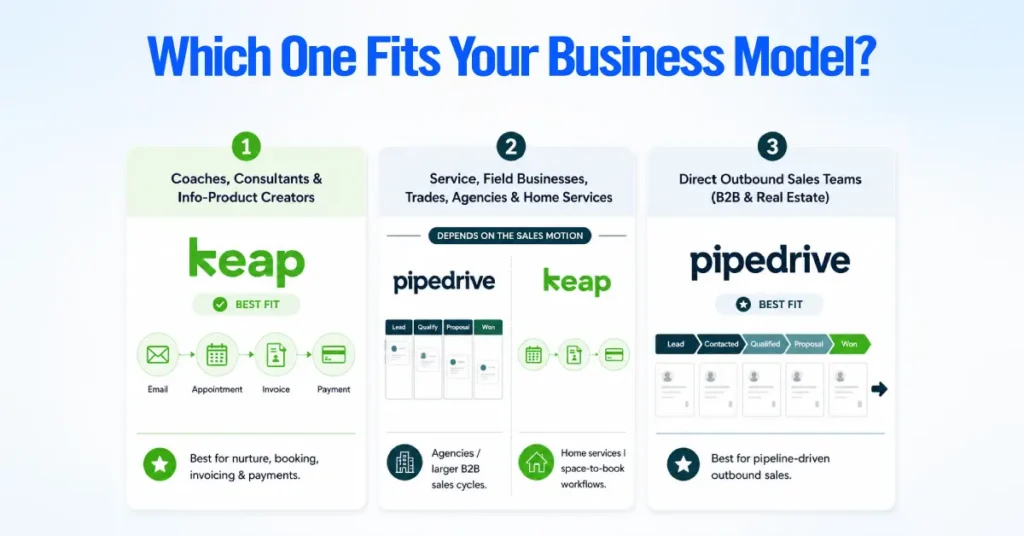
Coaches, Consultants, and Info-Product Creators
Keap fits this profile best because these businesses operate on nurture sequences rather than sales pipelines. A coach selling a $2,000 program needs automated follow-up emails, appointment booking, invoicing, and payment collection working together, and Keap was purpose-built for exactly that customer journey.
Service and Field Businesses, Trades, Agencies, Home Services
This group is genuinely split depending on lead volume and deal complexity. Agencies running longer B2B sales cycles with multiple stakeholders usually do better on Pipedrive’s pipeline visibility. Home service businesses that manage fewer, higher-ticket jobs with quote-to-invoice workflows often lean toward Keap for its native payments and scheduling.
Direct Outbound Sales Teams (B2B and Real Estate)
Pipedrive is the clear fit here. Outbound teams live in a pipeline all day, need fast deal card movement, and typically don’t need built-in SMS broadcast marketing. Pipedrive’s real estate use case is also strengthened by document management and e-signature support on its Premium and Ultimate plans.
Do You Even Need Keap’s All-in-One?
Keap only makes sense if you will use more than its CRM. Its higher price covers marketing automation, email, SMS, scheduling, invoicing, payments, and customer follow-up on one platform.
If your main priority is managing deals and running straightforward email campaigns, a Pipedrive-based stack will usually cost less.
Pipedrive + Mailchimp + Calendly vs Keap Pro – Real Cost
Keap Pro is now a legacy plan. New customers get Keap’s unified platform, which starts at $299 per month, with required implementation services adding to the initial cost.
At current annual rates, a separate stack starts around:
| Stack | Two Users | Three Users |
| Pipedrive Growth | $78/month | $117/month |
| Mailchimp Standard | From $20/month | From $20/month |
| Calendly Standard | $20/month | $30/month |
| Starting total | $118/month | $167/month |
Mailchimp pricing increases with contact volume, so the actual total will be higher for a larger list. Pipedrive Growth also includes a meeting scheduler, which means some teams may not need Calendly at all.
For a small sales team, the separate stack is usually cheaper. It also lets you replace one tool without migrating your entire customer system.
When the All-in-One Actually Saves Money
Keap becomes better value when it replaces more than a CRM, email platform, and scheduler.
It can consolidate:
- Advanced lead-nurture campaigns
- Email and SMS marketing
- Appointment scheduling
- Quotes and invoices
- One-time and recurring payments
- Billing and follow-up automation
Because these features use the same contact records and automation engine, fewer third-party connections are needed. That can reduce duplicate data, failed workflows, and the time spent maintaining integrations.
Keap is worth considering when those tools already cost close to its monthly price or when managing separate systems is creating enough administrative work to justify consolidation.
The Tools That Fill Pipedrive’s Marketing Gap
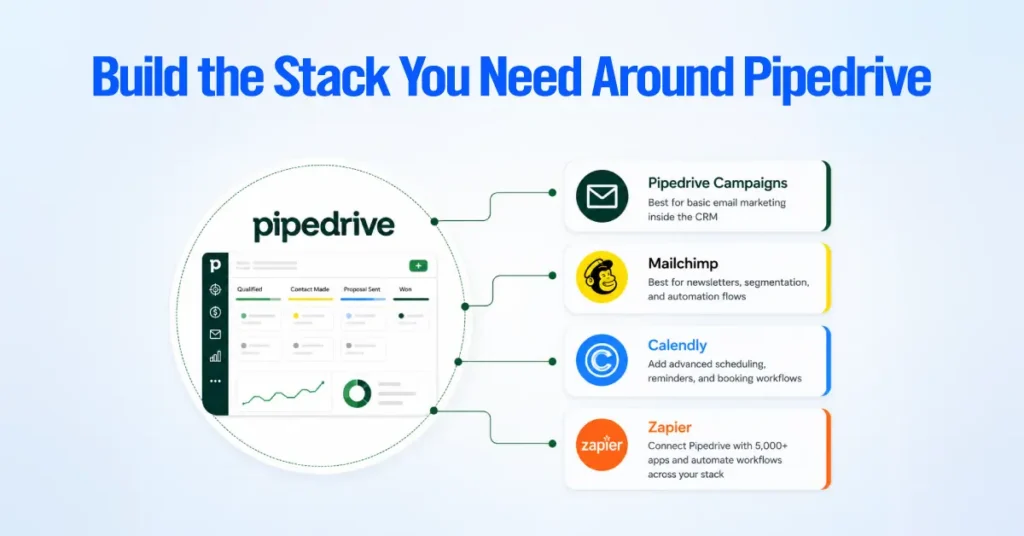
Pipedrive does not need to handle every marketing function itself. Its marketplace supports more than 500 integrations, allowing teams to add only the tools they need.
- Pipedrive Campaigns: Best for basic email marketing inside the CRM.
- Mailchimp: Better for newsletters, segmentation, and marketing automation flows.
- Calendly: Adds advanced scheduling, reminders, and booking workflows.
- Zapier: Connects Pipedrive with forms, marketing platforms, accounting software, and other business apps.
Why Small Businesses Are Migrating Right Now
We’re seeing a consistent pattern in 2026 that’s worth naming directly.
What Reddit and Tech Forums Say About CRM Shifts in 2026
If you scroll through tech hubs like Reddit (r/CRM, r/SaaS, r/techsales) and various developer forums, the conversation around CRMs is dominated by a clear exhaustion with marketing fluff.
The absolute consensus is a collective pushback against software bloat, a realistic re-evaluation of AI, and intense debates over migration.
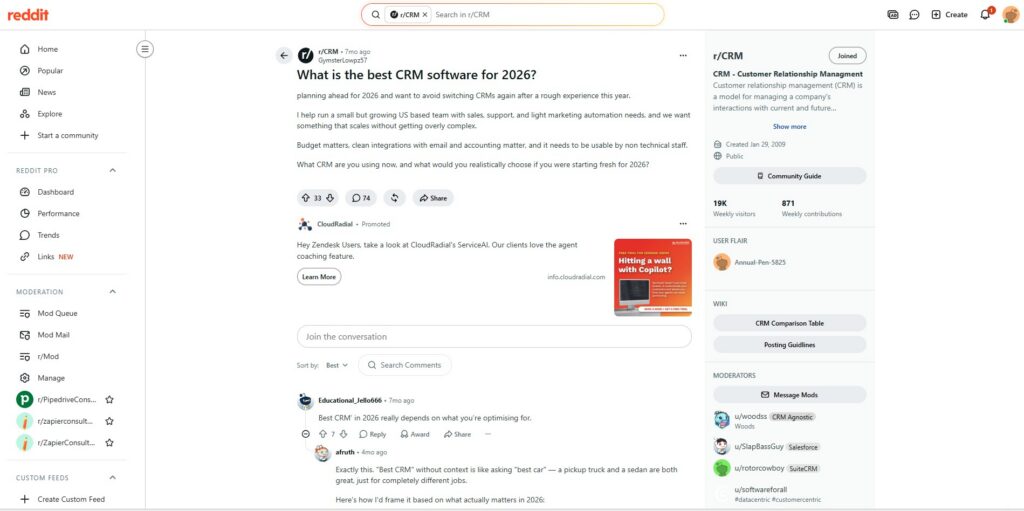
Small-business forums and subreddits dedicated to entrepreneurship consistently surface the same recurring complaint about Keap.
Users describe getting priced out as their contact list grows, discovering the cancellation process is far more painful than the signup process, and realizing months into their contract that they’re paying for automation depth they never actually configured.
The Breaking Point: When Contact List Growth Triggers a Budget Crisis
Because Keap prices by contact count, a business that grows its list from 1,500 to 10,000 contacts through normal marketing success can see its bill jump substantially without adding a single new team member.
That’s the exact moment many small businesses start evaluating Pipedrive as an alternative, since its cost is tied to headcount rather than list size.
Paying for a Ferrari When You Only Need a Commuter Car
Keap’s own reviewers describe this dynamic well. If you only need a simple place to log deals, follow up with prospects, and track pipeline stages, Keap’s $249+ starting price for a full marketing automation suite is overkill.
You end up paying for engagement scoring, multi-step campaign logic, and payment processing tools that sit unused while your actual daily workflow is closer to what Pipedrive’s Lite or Growth plan already covers for a fraction of the cost.
What the Migration Process From Keap to Pipedrive Actually Looks Like
A typical migration starts by exporting contacts, tags, and deal history from Keap as a CSV file, then mapping those fields to Pipedrive’s custom fields during import.
Historical email and campaign data generally doesn’t transfer natively, so most migrations preserve contact and deal records while treating marketing automation as a rebuild rather than a straight copy.
Budget one to two weeks for a clean migration on a database under 5,000 contacts, longer if you’re recreating complex automation sequences from scratch inside a different tool.
After Implementing Both for 50+ Small Businesses, Our Honest Take
Choose Pipedrive when your priority is sales visibility, faster adoption, and a simpler way to manage deals and follow-ups.
Stay with Keap when its existing automations already generate revenue, and rebuilding them would create more cost than value.
For new Pipedrive setups, start with one pipeline, three to five clear stages, and email sync. Add automation only after the team is using the core system consistently.